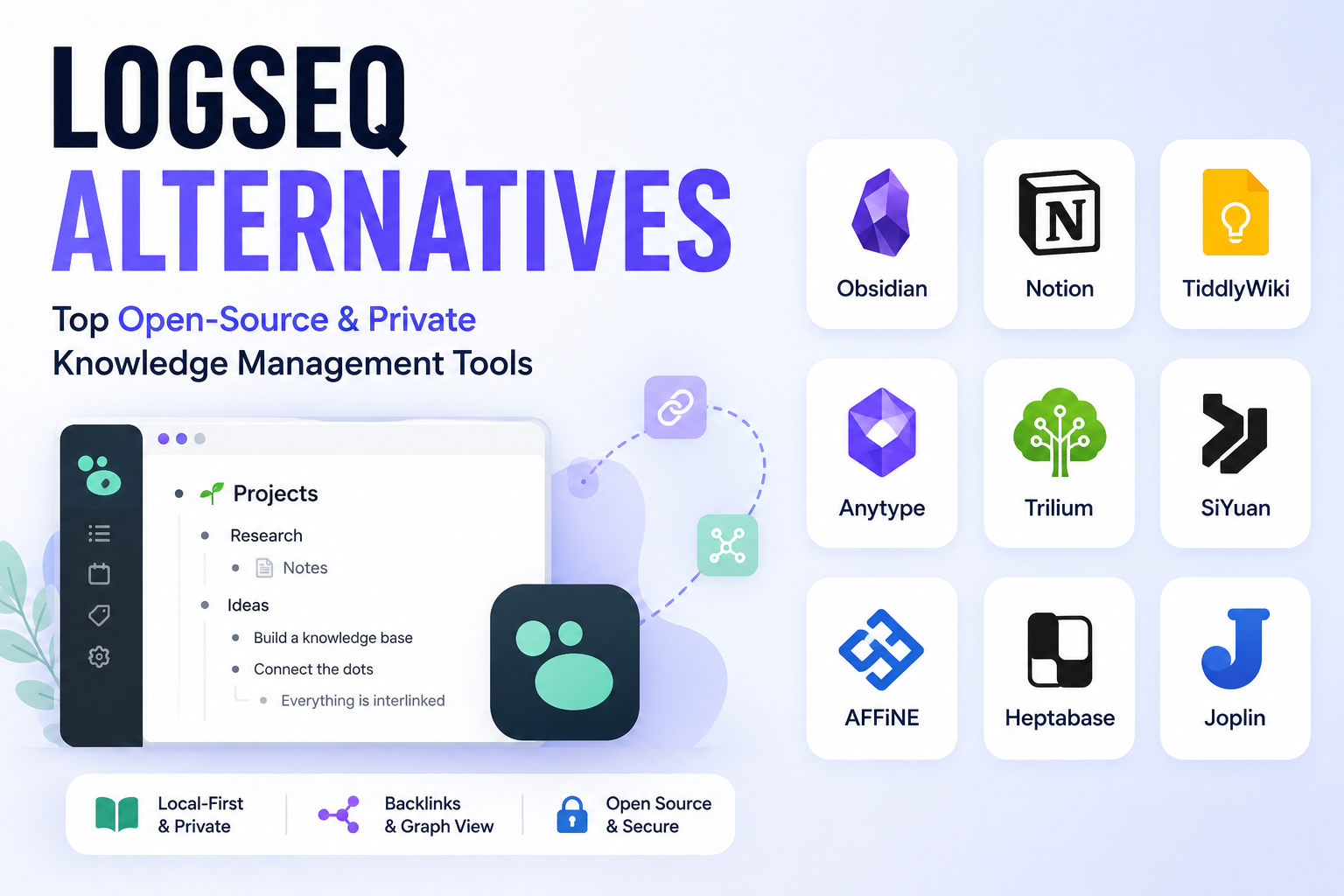
Logseq is a beloved tool in the personal knowledge management (PKM) community. It’s free, open-source, local-first, and built around a block-based outliner with bidirectional links. Thousands of researchers, writers, students, and developers rely on it daily.
But Logseq isn’t perfect. And for many people, its limitations have become dealbreakers.
If you’re searching for Logseq alternatives, you’re probably dealing with at least one of these frustrations: a shaky mobile experience, no real-time collaboration, slow development progress, or a steep learning curve that never quite flattens out.
This guide covers the best alternatives to Logseq in 2026, including free and paid options, tools for students, teams, privacy-focused users, and everyone in between. Each pick is explained with its strengths, weaknesses, pricing, and who it’s best for.
| Tool | Price | Local Storage | Mobile Quality | Collaboration | Graph View | Best For |
|---|---|---|---|---|---|---|
| Obsidian | Free + $4/mo sync | Yes | Good | No | Yes | Power users, privacy |
| Notion | Free–$20/mo | No | Excellent | Yes | No | Teams, all-in-one |
| Roam Research | $15/mo | No | Limited | No | Yes | Networked thought purists |
| Tana | Free–$8/mo | No | Good | Limited | Yes | Structured data, researchers |
| Capacities | Free–$10/mo | No | Excellent | No | Yes | Visual thinkers |
| Joplin | Free | Yes | Good | No | No | Privacy, encryption |
| Anytype | Free–$5/mo | Yes | Good | Limited | Yes | Local Notion alternative |
| Workflowy | Free–$4.99/mo | No | Good | Limited | No | Minimalists, outliner fans |
| RemNote | Free–$8/mo | No | Good | No | Yes | Students, flashcards |
| Mem | Free–$10/mo | No | Good | No | No | AI-first, zero organization |
Before jumping into the list, it helps to understand why Logseq users leave in the first place.
This is the most common complaint. Logseq does have an iOS and Android app, but users consistently report bugs, limited functionality compared to the desktop version, and issues with sync. If you capture notes on your phone often, this becomes a real problem.
Logseq has been rebuilding its core from a file-based to a database-based architecture since late 2022. As of early 2026, that migration is still ongoing. The last stable desktop release was in April 2024. Many users on Reddit and GitHub have openly questioned whether the project is still active.
Logseq is a solo tool. There’s no shared workspace, no comments, no live co-editing. For teams or anyone who shares notes with colleagues, this is a hard limitation.
Logseq’s block-based, journal-first approach is powerful but takes time to internalize. New users often struggle with linking, queries, and the outliner structure. Many give up before they see the value.
When your note database grows large, Logseq can slow down considerably, especially in the graph view. This frustrates power users who have thousands of notes.
Logseq has plugins, but its ecosystem is nowhere near the size of Obsidian’s, which has over 2,500 community plugins. If you need deep customization, Logseq often falls short.
Not every tool on this list will suit you. Before picking one, think about these factors:
Keep these questions in mind as you read through each option below.
Best for: Power users who want local-first storage, a massive plugin ecosystem, and a stable mobile app.
Obsidian is the most popular direct replacement for Logseq. Both tools work with local Markdown files, both support bidirectional linking and a graph view, and both can be extended with plugins. The main difference is how they handle notes: Logseq is primarily an outliner (everything is a bullet point by default), while Obsidian is a document editor with optional block structure.
Obsidian’s plugin ecosystem is enormous, with over 2,500 community plugins covering everything from spaced repetition and task management to AI assistants and canvas tools. The mobile app is solid and works reliably across iOS and Android.
Since early 2025, Obsidian has been free for all use, including commercial. Sync costs $4/month (billed annually), which gives you end-to-end encrypted sync across all devices.
Key features:
Pricing:
Limitations:
Who should switch: If your main frustrations with Logseq are mobile stability and plugin variety, Obsidian is the most natural move. Your Markdown files transfer directly.
Best for: People who need collaboration, databases, project management, and notes all in one place.
Notion takes a completely different approach. Instead of a local outliner, it’s a cloud-based workspace where you can build databases, wikis, project boards, documents, and notes side by side. It’s infinitely flexible and works well for both individuals and teams.
If you’ve been using Logseq just to track tasks and write notes, Notion can replace that entirely while adding teamwork features Logseq can never match.
The trade-off is data ownership. Your notes live in Notion’s cloud, not on your hard drive. Export works, but it’s not as clean as a folder of Markdown files.
As of late 2025, Notion moved its AI features to the Business tier at $20/month per user, which makes it expensive for solo users who want AI assistance.
Key features:
Pricing:
Limitations:
Who should switch: If you work with a team and need a shared workspace, Notion is hard to beat. For solo PKM with local storage, it’s the wrong fit.
Best for: Researchers and writers who think in interconnected ideas and want a pure outliner with block-level backlinking.
Roam Research essentially invented the modern networked note-taking paradigm that Logseq later emulated (for free). Everything in Roam is a block. Every block can be referenced anywhere. The daily notes page is the entry point for every session.
If you love Logseq’s core philosophy but want a more polished, cloud-based version with a faster development team, Roam is the original. The downside is price: at $15/month, it’s one of the most expensive note-taking apps available.
Development has also slowed compared to competitors. Many in the community note that tools like Tana and Obsidian have now surpassed Roam in features.
Key features:
Pricing:
Limitations:
Who should switch: Former Roam users who came to Logseq for the free version might consider going back. But for most people, Obsidian or Tana offers more value at lower cost.
Best for: Advanced users who want Logseq’s outliner model plus the ability to build structured databases without leaving the note-taking workflow.
Tana takes the block-based outliner idea and adds a structured data layer called “Supertags.” Every node in Tana can be assigned a type with custom fields, relationships, and computed values. Think of it as Logseq meets Notion, but built entirely around the outliner model.
For example, you can tag a note as “Book” and automatically get fields like Author, Rating, Date Read, and Status. Reference that book in another note and those fields follow it. It’s genuinely powerful for knowledge workers who want structure without switching to a spreadsheet.
Tana is cloud-based and has an invitation-based onboarding, though access is now widely available.
Key features:
Pricing:
Limitations:
Who should switch: If Logseq’s queries and properties excited you but frustrated you, Tana makes structured data far more intuitive. Best for researchers, consultants, and power users.
Best for: Users who want object-based knowledge management with a beautiful interface, built-in sync, and no plugin setup.
Capacities takes an “objects” approach to notes. Instead of folders or tags, you create typed objects: a Book, a Person, a Project, a Meeting. Each object type has its own fields, and everything connects through a graph.
Unlike Obsidian, Capacities includes sync in its paid plan without a separate add-on, and the mobile apps are polished. It also has a built-in AI assistant, a calendar view, and daily notes.
For Logseq users who want something visually cleaner and less technical, Capacities is a strong option.
Key features:
Pricing:
Limitations:
Who should switch: Logseq users who want the graph and linking concept in a more visual, plug-and-play package without configuring plugins.
Best for: Privacy-focused users who want a free, open-source Logseq alternative with end-to-end encryption and flexible sync.
Joplin is a free, open-source note-taking app that stores notes in Markdown and supports end-to-end encryption. It syncs through services you already use: Dropbox, OneDrive, Nextcloud, or Joplin’s own cloud service.
Unlike Logseq, Joplin uses a traditional notebook and folder structure rather than an outliner. It doesn’t have a graph view or bidirectional links, so it’s not a 1:1 replacement for Logseq’s knowledge graph features. But if you use Logseq primarily as an organized note store rather than for networked thought, Joplin covers your needs completely and for free.
Key features:
Pricing:
Limitations:
Who should switch: Users who want a private, encrypted, free alternative to Logseq without needing the graph view or outliner features.
Best for: Users who want Notion-like features but with local storage and full data ownership.
Anytype is an open-source knowledge management tool that combines the flexibility of Notion with the privacy of local-first storage. Notes, databases, tasks, and wikis all live on your device first, with optional peer-to-peer sync.
It’s newer and still evolving, but it already supports rich content types, relational databases, graph views, and a decent mobile experience. The free tier includes 1 GB of peer-to-peer sync storage.
For Logseq users who want something more visual and flexible without giving up local data ownership, Anytype is one of the most interesting options in 2026.
Key features:
Pricing:
Limitations:
Who should switch: Privacy-focused users who want a Notion-like experience without putting their data in someone else’s cloud.
Best for: Users who love Logseq’s outliner structure but want something faster, simpler, and with no setup.
Workflowy pioneered the infinite outliner before Roam or Logseq existed. Your entire note system is one deeply nested bulleted list that you can zoom into and out of at any level. It’s extremely fast and has almost no learning curve.
Workflowy now supports basic backlinking and mirrors (transclusion), though it doesn’t have a graph view or Markdown export in the same sense. If you use Logseq mostly as a fast capture and outlining tool, Workflowy strips away all the complexity.
Key features:
Pricing:
Limitations:
Who should switch: Logseq users who found the tool too complex and just want a fast, friction-free outliner.
Best for: Students who want to combine note-taking with spaced repetition flashcards for active recall studying.
RemNote is the one tool on this list built specifically around the link between note-taking and memorization. You write notes in an outliner format, and any note can be turned into a flashcard with a single click. The built-in spaced repetition algorithm schedules reviews automatically.
Logseq has a flashcard feature, but users consistently report that its spaced repetition scheduling is unreliable. RemNote solves this problem as its core use case.
It also supports bidirectional links, PDF annotation, and a knowledge graph, making it a solid general-purpose PKM tool for students beyond just flashcards.
Key features:
Pricing:
Limitations:
Who should switch: Students who used Logseq for its flashcard feature but found it unreliable. RemNote is purpose-built for this workflow.
Best for: Users who want to dump notes without organizing them and let AI surface relevant content later.
Mem bets on one idea: you shouldn’t have to organize notes at all. There are no folders, no tags required, no graph to maintain. You write, and Mem’s AI automatically finds connections, surfaces related notes, and answers questions about your knowledge base in natural language.
For Logseq users exhausted by maintaining their knowledge graph, this is the extreme opposite. It’s freeing for many users, though others find it lacks the structural clarity of a manually organized system.
The free plan has a 25-note monthly limit, which makes serious evaluation difficult.
Key features:
Pricing:
Limitations:
Who should switch: Logseq users who spent more time organizing their system than using it.
With ten options on the table, narrowing it down comes down to a few key questions.
Go with Obsidian or Joplin. Both keep notes on your device as plain text files. Obsidian has a richer feature set; Joplin has built-in encryption.
Anytype is worth considering if you also want database-style organization alongside local storage.
Notion is the clear answer. No other tool on this list offers real-time co-editing and shared databases at the same level.
RemNote is purpose-built for you. Its spaced repetition system is far more reliable than Logseq’s.
Roam Research pioneered the concept but is expensive. Tana is the more modern, feature-rich successor to that model.
Capacities gives you a graph, daily notes, and bidirectional links in a much cleaner package with no plugin configuration needed.
Mem removes organizational overhead entirely. Dump thoughts in, let AI surface what’s relevant later.
Workflowy strips everything down to an infinite nested list. No graph, no Markdown files, no plugins to manage. Just write.
Switching PKM tools is rarely painless. Here’s what to prepare for.
Logseq stores notes as plain Markdown (or Org-mode) files in a folder on your computer. This is actually good news: you can open those files in Obsidian, Joplin, or most other Markdown-compatible tools immediately. No conversion required for basic text content.
The challenge is your block references, linked mentions, and queries. These use Logseq-specific syntax (((block-id)), {{query}}) that won’t transfer to other tools automatically. You’ll need to decide whether to rebuild those connections manually or accept that some structure will be lost in the migration.
The biggest mistake people make when switching note-taking tools is evaluating a new app in a week. Knowledge management tools reveal their value over months, not days. Commit to at least 90 days before deciding whether the new tool works for you.
Because Logseq and Obsidian are so often compared, it’s worth addressing this directly.
Both tools are local-first, use Markdown files, support bidirectional links, and have graph views. The real differences come down to structure and ecosystem.
Logseq is an outliner first. Every note is essentially a bullet-point journal. This makes it fast for daily capture and natural for building linked ideas, but it feels alien if you want to write long-form documents.
Obsidian is a document editor first. Notes feel more like traditional text files. The outliner is available via plugins but isn’t the default. Obsidian’s plugin ecosystem is significantly larger, and the mobile app is more reliable.
The short version: if you liked Logseq’s block-based approach, you may miss it in Obsidian. If Logseq’s outliner felt limiting, Obsidian will feel liberating.
Logseq and Notion are built for fundamentally different workflows.
Logseq is a private, offline-first tool for personal knowledge management. It’s for individual thinkers who want to build a networked second brain from their own thoughts.
Notion is a collaborative, cloud-based workspace. It’s for teams who need shared databases, project tracking, wikis, and documents in one place.
The users who switch from Logseq to Notion are usually those who realized they were using Logseq as a task manager or project planner, and Notion simply does those things better for teams. If your use case is purely personal PKM and writing, Notion’s overhead isn’t worth it.
Sometimes the “best overall” recommendation isn’t what you need. Here’s a breakdown by specific workflow.
Research workflows need good PDF handling, citation management, and long-form writing support alongside a knowledge graph.
Obsidian wins here with the Zotero plugin integration, PDF annotation via the built-in PDF viewer, and long-form document writing that doesn’t feel like fighting against the tool. The Citations plugin and Dataview plugin together create a powerful research environment.
RemNote is strong if active recall is part of your research workflow. Its built-in PDF reader lets you highlight directly in papers and turn highlights into flashcards.
Tana works well for researchers who need to tag sources, track readings, and maintain structured literature notes with custom fields.
Writers need a distraction-free editor, easy navigation between drafts, and a way to manage research alongside writing without too much friction.
Obsidian with a minimal theme and the Longform plugin handles book-length projects well. You write in individual Markdown files and compile them into a single document.
Notion works well for journalists who need to manage assignments, pitches, sources, and drafts in one shared space, especially if you work with editors or colleagues.
Capacities has a clean editor with good typography and is worth trying if you want a more modern writing environment.
Developers often use Logseq as a personal wiki and task tracker for technical work.
Obsidian dominates here. Its Markdown files integrate naturally with Git, meaning you can version-control your notes just like your code. The terminal-friendly workflow, plain-file storage, and community plugins for code blocks and diagrams make it a natural fit.
Notion is strong for teams building engineering wikis, runbooks, and documentation alongside their notes. Its API also lets developers build integrations.
Some Logseq users build elaborate “life OS” systems tracking habits, goals, finances, and projects.
Notion is the best tool for this kind of structured personal system with databases for expenses, habits, and goals.
Tana handles this with Supertags, letting you create typed entries for transactions, goals, and habits with computed views.
Capacities supports this with its object model, where you define a “Goal” or “Habit” type and track entries visually.
Yes, several:
If cost is your main driver, Obsidian with free iCloud or Google Drive sync is the strongest free alternative to Logseq.
If open-source software is a priority, these tools keep their code public:
Yes, but slowly. The Logseq team has been migrating from a file-based to a database-based core architecture since 2022, and this has consumed most of their development bandwidth. As of early 2026, the database version is still in progress, and there has been limited visible progress on the main release. The project remains open-source and community-funded through Open Collective.
Obsidian is the best free alternative for most users. The core app is free for all use. You can sync notes manually through iCloud, Google Drive, or Syncthing without paying for Obsidian Sync.
RemNote. It combines note-taking, bidirectional links, and a reliable spaced repetition system for active recall, which is exactly what students need.
Notion. It’s the only tool on this list with robust real-time collaboration, shared databases, and team workspace features.
Your text notes transfer easily since both use Markdown files. Block references and Logseq-specific queries will not transfer automatically. The Obsidian Importer plugin handles the basics, but some manual cleanup is usually needed.
Joplin (with end-to-end encryption) or Obsidian with local-only storage (no sync service). Both keep your data off third-party servers.
Neither is objectively better. Logseq’s block outliner and journal-first approach works well for daily note-taking and linked ideas. Obsidian is more flexible for long-form writing and has a larger plugin ecosystem. The best one depends on how you think and write.
Obsidian, Joplin, and Anytype all have native Linux apps. Notion works via the web browser on Linux. AppFlowy is another strong option with native Linux support and an open-source codebase.
Yes. Obsidian has a Daily Notes core plugin and a Calendar plugin that mimics Logseq’s journal-first workflow closely. You can configure it to open a new daily note automatically every time you launch the app.
The Logseq team announced a migration from file-based to database-based architecture in late 2022. As of 2026, the database version is still in development and has not been officially released as stable. This uncertainty has been a key reason many users are exploring alternatives.
Obsidian’s graph view is the most visually polished and performant among the alternatives. Capacities also has a clean graph. Roam Research and Tana have graph views as well, though they’re secondary features rather than central to the workflow.
Yes. Many users run Logseq for daily journaling and Obsidian for their permanent notes. Since both work with local Markdown files, they can point to overlapping or adjacent folders. This dual-tool approach lets you migrate gradually without losing existing data.
Here’s the simplest breakdown:
The PKM space has never had more good options than it does in 2026. Logseq’s development slowdown has given competing tools time to mature, and several of them have caught up significantly. Whatever drove you away from Logseq, there’s a tool on this list that solves that specific problem.
The most important thing is to pick one, commit to it for at least 90 days, and build your system. Tool-hopping is the real enemy of good knowledge management.
One practical tip: before you migrate everything, spend a week using your top two candidates with real notes from your actual workflow. Synthetic tests in an empty app tell you almost nothing. It’s only when you’re three weeks into real use that a tool’s strengths and frustrations become clear.
Whichever tool you choose, remember that the goal is to think better, write more clearly, and find what you know when you need it. The app is just the container. What you put in it, and how consistently you use it, matters far more than the features on its marketing page.
Have questions about switching from Logseq or comparing specific tools? Leave a comment below.
If you have been searching for the right note-taking or knowledge management app, you have…
Looking for AnyType alternatives? You're not alone. AnyType has gained popularity as a privacy-focused, local-first…
Notion is a popular all-in-one workspace, but many users seek alternatives for different needs (free…
Looking for a Webshare alternative? You're not alone. Webshare is a popular proxy service with…
Docker changed software development forever. It made containers accessible, gave developers a simple workflow, and…
Docker makes it easy to spin up containers. The problem? Those containers pile up fast.…