
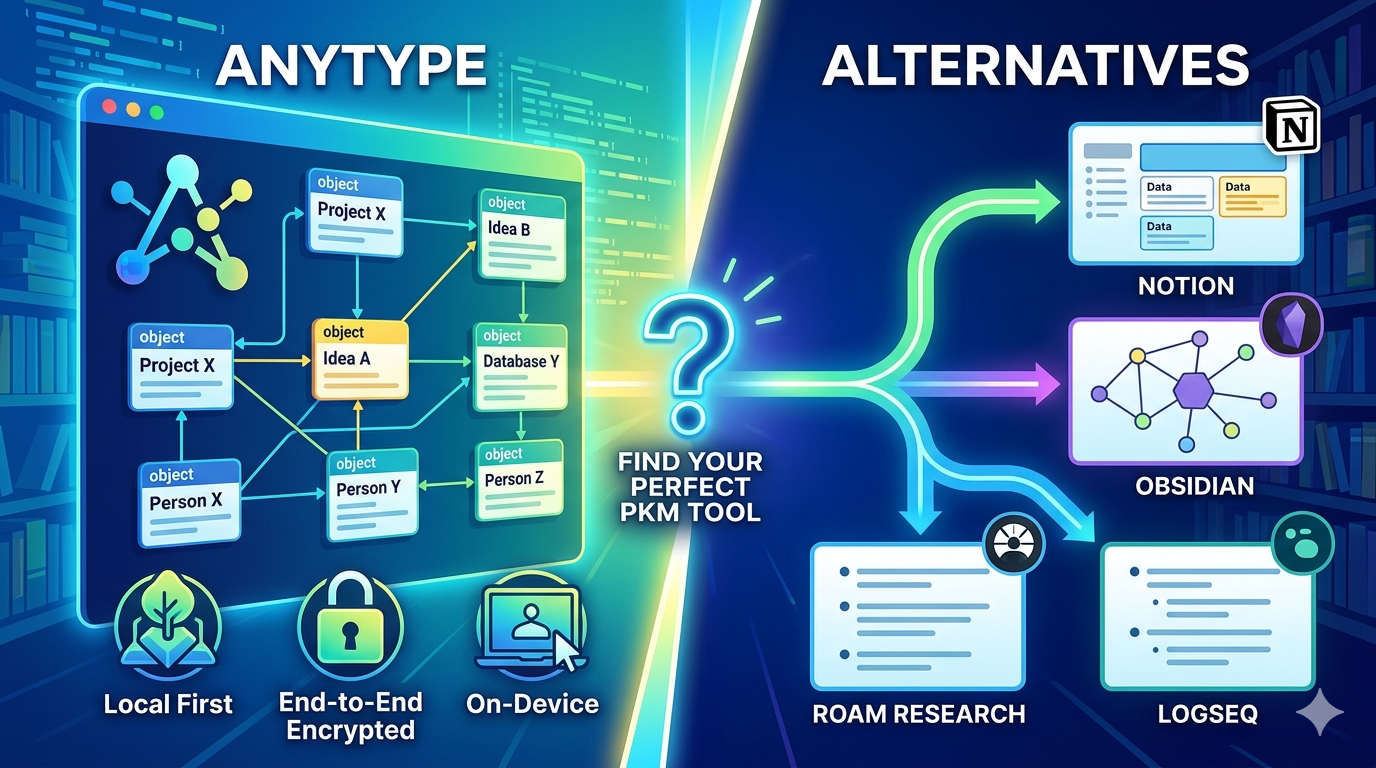
Looking for AnyType alternatives? You’re not alone. AnyType has gained popularity as a privacy-focused, local-first workspace for notes, tasks, and knowledge management. However, many users seek alternatives due to its steep learning curve, evolving stability, and limited third-party integrations.
This comprehensive guide covers the 10 best AnyType alternatives in 2026. We’ll compare features, pricing, privacy features, and use cases to help you find the perfect tool for your productivity needs. Whether you want local-first markdown, cloud-based collaboration, or open-source knowledge management, you’ll find detailed comparisons here.
Comparison of AnyType Alternatives
Here’s how all 10 AnyType alternatives compare across key criteria:
| Tool | Best For | Pricing | Offline | Open Source | Privacy |
|---|---|---|---|---|---|
| Obsidian | Local-first PKM | Free (sync $4/mo) | Yes | No | High |
| Notion | Team collaboration | Free + $10/mo | Limited | No | Medium |
| Logseq | Daily notes, open source | Completely free | Yes | Yes | High |
| AFFiNE | Visual creative work | Free + team plans | Yes | Yes | High |
| Capacities | Object-based, polished UI | Free + $9/mo | No | No | Medium |
| AppFlowy | Notion-like, self-hosted | Free + $5/mo | Yes | Yes | High |
| Joplin | Traditional notes | Free + €2.4/mo | Yes | Yes | High |
| Standard Notes | Maximum privacy | Free + $2.50/mo | Yes | Partial | Highest |
| Roam Research | Networked thought | $15/month | No | No | Medium |
| Craft Docs | Apple document design | Free + $10/mo | Limited | No | Medium |
Why People Search for AnyType Alternatives
AnyType’s object model is powerful but has a steep learning curve. New users often spend hours understanding types, relations, and sets before becoming productive. Notion and Obsidian have lower initial friction.
Users also report occasional sync issues, missing features compared to Notion, and a UI that changes significantly between versions. The mobile apps lag behind the desktop experience, particularly for complex object creation. Limited third-party integrations also frustrate teams relying on automation workflows with tools like Zapier, Slack, or GitHub.
AnyType prioritizes privacy and local-first storage with end-to-end encryption. Your data stores locally on your device and encrypts before touching AnyType servers. The app is source-available and free to use during beta.
What Is AnyType?
AnyType positions itself as a personal knowledge base—a digital brain designed for capturing, describing, and connecting information seamlessly. It offers an offline-first approach that many users find refreshing compared to cloud-based competitors like Notion.
With AnyType, you can create books, tasks, notes, and essentially anything, organizing items however you see fit. The platform uses an object-oriented approach where everything is a “type” (books, people, projects, notes) that links together naturally.
Key AnyType features include:
- Local-first storage: Data stays on your device with optional encrypted sync
- End-to-end encryption: Only you hold encryption keys
- Object-based organization: Typed objects link to each other
- Cross-platform support: Desktop and mobile apps for all major platforms
- Offline functionality: Full access without internet connection
- Peer-to-peer sync: Encrypted sync between your devices
AnyType pricing includes a free plan with 100 MB remote storage and 10 shared spaces. The Plus plan costs $5/month ($4/month yearly) with 1 GB storage. Pro costs $10/month ($8/month yearly) with 10 GB storage. Ultra costs $20/month ($16/month yearly) with 100 GB storage.
Despite these strengths, users seek alternatives for better stability, mature features, easier onboarding, or specific workflows. Let’s explore the best alternatives.
1. Obsidian: Best Local-First Markdown Tool for Personal Knowledge Management
Overview
Obsidian stands out as the closest spiritual successor to AnyType, featuring local-first storage and a 4.7/5 rating. It operates on local Markdown files, offering unparalleled data ownership and a highly customizable experience through its extensive plugin ecosystem.
Often hailed as a powerful tool for building a “second brain,” Obsidian excels in networked thought with its graph view, allowing users to visualize connections between notes.
Key Features
Local Markdown Files: Plain markdown files on your disk with no proprietary format. Your data remains readable forever, even without Obsidian.
Bidirectional Linking: Create links between notes using double brackets [[ ]]. Build a network of interconnected ideas that reveals connections over time.
Graph View: Visualize relationships between notes in an interactive graph. See clusters of related content and discover hidden connections.
Extensive Plugin Ecosystem: Hundreds of community plugins extend functionality. Add calendars, kanban boards, tasks, AI assistants, and more.
Powerful Search: Full-text search across all notes with advanced query syntax. Find anything instantly.
Templates and Snippets: Create reusable templates for consistent note formatting. Speed up your workflow with predefined structures.
Cross-Platform: Available on Windows, Mac, Linux, iOS, and Android. Your markdown files work everywhere.
Pricing
Obsidian is completely free for personal use with all core features included. You get unlimited notes, full plugin access, and complete control over your data at no cost.
Optional paid services include:
- Obsidian Sync: $4/month (yearly) for 1GB storage with one synced vault, or $8/month for 10GB with unlimited vaults
- Obsidian Publish: $8/month per site to publish notes on the web with custom themes
- Commercial License: $50 per user yearly for business use (optional since 2025)
- Catalyst License: $25 one-time for early access to beta versions and community perks
Pros and Cons
Pros:
- Free for personal use with all core features
- More mature and stable than AnyType for personal knowledge management
- Unparalleled data ownership with plain text markdown files
- Massive plugin ecosystem with hundreds of extensions
- Works offline by default with no internet required
- Graph view visualizes connections between ideas
- No vendor lock-in—your files work in any text editor
Cons:
- Steep learning curve for advanced features and plugins
- Sync requires paid subscription (no free sync between devices)
- Mobile apps less polished than desktop version
- No built-in collaboration features in free version
- Requires manual setup for many workflows
Best For
Obsidian works best for individuals who want local-first notes with a large plugin ecosystem. It’s ideal for researchers, students, writers, and knowledge workers building a personal knowledge management system. Choose Obsidian if you value data ownership, markdown files, and extensive customization.
Obsidian vs AnyType Comparison
Obsidian wins for users wanting mature stability, plain text files, and extensive plugins. AnyType wins for users wanting built-in sync, object-based organization, and a more integrated experience.
2. Notion: Best All-in-One Cloud Workspace for Teams
Overview
Notion is a widely popular all-in-one workspace that combines notes, tasks, databases, and wikis. While primarily cloud-based, it offers immense flexibility with its block-based editor and templates, making it a strong contender for those prioritizing comprehensive features and collaboration over strict local-first privacy.
Notion represents the trade-off between privacy and capability. You sacrifice local-first storage for feature depth, integrations, and ecosystem maturity.
Key Features
Block-Based Editor: Every element is a block—text, images, tables, code, videos. Drag and drop blocks to rearrange content instantly.
Powerful Databases: Create relational databases with multiple views (table, board, calendar, gallery, timeline). Link databases together for powerful connections.
Linked Views: Display the same database data in multiple views. Show project tasks as a board on one page and a calendar on another.
Templates Gallery: Thousands of community and official templates for wikis, project management, meeting notes, and more. Get started instantly.
AI Integration: Notion AI (add-on) helps generate content, summarize notes, and automate workflows. It acts as a writing assistant within Notion.
Collaboration Features: Real-time collaboration, comments, mentions, and permissions. Work together seamlessly with teams.
Extensive Integrations: Far more integrations than AnyType with Slack, GitHub, Google Drive, Figma, and 1000+ tools.
API Access: Robust API for custom integrations and automation workflows.
Pricing
Notion offers a generous free plan for personal use with unlimited pages and blocks. Paid plans include:
- Personal Pro: Free (limited features)
- Plus: $10/user/month for unlimited file uploads and version history
- Business: $18/user/month for advanced permissions and SSO
- Enterprise: Custom pricing for large organizations
Notion AI costs an additional $10/month per user.
Pros and Cons
Pros:
- Far more integrations and larger community than AnyType
- Feature-complete with databases, linked views, and project management
- Polished UI with excellent mobile apps
- Massive template gallery for instant setup
- Best-in-class collaboration for teams
- AI built in for content generation and summarization
- Scales from personal to enterprise usage
Cons:
- Cloud-only with no offline-first approach
- Privacy trade-off: Notion stores data on their servers
- Can become slow with large databases
- Offline mode limited compared to local-first tools
- AI features require paid upgrade
- Pricier for teams on business tier
Best For
Teams that want full feature depth and third-party integrations choose Notion. It’s ideal for project management, team wikis, collaborative documentation, and organizations needing robust permissions. Students and individuals who prioritize convenience over privacy also benefit.
Notion vs AnyType Comparison
Choose Notion for polished UI, collaboration features, templates, and cloud convenience. Choose AnyType for privacy, offline work, data ownership, and custom data structure.
3. Logseq: Best Open-Source Outliner for Daily Notes
Overview
Logseq is a privacy-first, open-source knowledge base that uses an outliner-style interface with daily journals and robust bidirectional linking. It stores notes as local Markdown or Org files, emphasizing long-term data ownership and fast capture.
As a fully free and open-source tool, Logseq appeals to users who want transparency, community-driven development, and complete control over their data.
Key Features
Outliner Interface: Bullet-point based organization with nested lists. Capture thoughts quickly in a hierarchical structure.
Daily Journals: Automatically create daily notes with timestamped entries. Build a chronological log of your thoughts and tasks.
Bidirectional Linking: Link pages and blocks with double brackets. See all references to a page in the “Related” section.
Local-First Storage: All data stores as plain text Markdown or Org files. No vendor lock-in, future-proof format.
Graph View: Visualize connections between pages in an interactive graph. Explore your knowledge network.
Query System: Build powerful queries to find notes based on tags, properties, and content. Automate information retrieval.
Task Management: Built-in task tracking with TODO, DOING, DONE states. Schedule tasks with due dates and priorities.
Flashcards: Create spaced-repetition flashcards for learning. Built-in Anki-style review system.
Pricing
Logseq is completely free and open source. No paid tiers, no premium features, no subscriptions. All features available to everyone forever.
Pros and Cons
Pros:
- Free and open source with no paid tiers
- Local-first with plain text storage (Markdown/Org)
- Excellent for daily note-takers and journaling
- Built-in task management with scheduling
- Fast capture with outliner interface
- Active community development and transparency
- No vendor lock-in with future-proof file format
Cons:
- Outliner interface not ideal for everyone
- Less polished UI compared to Notion or AnyType
- Mobile apps less mature than desktop
- Limited third-party integrations
- Steeper learning curve for advanced queries
Best For
Daily note-takers and PKM users who want a free local-first outliner choose Logseq. It’s perfect for researchers, students, and knowledge workers who journal daily and value open-source software. Researchers and knowledge workers prioritizing AI-powered note-taking also favor Logseq.
Logseq vs AnyType Comparison
Logseq wins for daily journaling, open-source transparency, and outliner lovers. AnyType wins for object-based organization, polished UI, and mobile experience.
4. AFFiNE: Best Visual Workspace for Creative Teams
Overview
AFFiNE positions itself as an open-source, local-first alternative to Notion. It offers a workspace with fully merged documents, whiteboards, and databases. AFFiNE aims to provide a flexible and privacy-conscious environment for creators and teams.
AFFiNE combines note-taking, database, and visual whiteboard in one modern, privacy-first platform. It’s ideal for flexible and creative workflows that need both documentation and visual brainstorming.
Key Features
Documents + Whiteboards: Fully merged documents and edgeless whiteboards. Switch between doc mode and canvas mode seamlessly.
Database Views: Create tables, kanban boards, calendars, and galleries. Link databases to documents for rich connections.
Local-First: Works offline with local storage. Your data stays on your device with optional sync.
Open Source: Fully open-source with self-hosting options. Community-driven development with transparency.
Real-Time Collaboration: Multiple users edit simultaneously with conflict-free merging. Built on CRDTs for smooth collaboration.
AI Integration: Inline AI assists with writing, summarization, and content generation.
Rich Blocks: Text, images, videos, code, embeds, and more. Drag and drop blocks to arrange content.
Pricing
AFFiNE is free for individuals with premium plans for advanced team features. Pricing details vary based on team size and collaboration needs.
Pros and Cons
Pros:
- Combines documents, whiteboards, and databases in one workspace
- Open-source with self-hosting options
- Local-first with offline capabilities
- Real-time collaboration with CRDTs
- Ideal for visual creators and creative workflows
- Free for individual use
- Fast local performance with TypeScript + Rust
Cons:
- Still in development with evolving features
- Smaller community than Notion or Obsidian
- Fewer templates and integrations
- Mobile apps less mature
- Less stable than established tools
Best For
Teams and creative professionals who need real-time collaboration and a hybrid doc + whiteboard setup choose AFFiNE. It’s perfect for visual creators, designers, and teams wanting documentation combined with brainstorming canvas.
AFFiNE vs AnyType Comparison
AFFiNE wins for visual creators wanting docs + whiteboards. AnyType wins for privacy-focused users wanting decentralized P2P sync and object-based organization.
5. Capacities: Best Object-Based Tool with Polished UI
Overview
Capacities offers object-based note-taking with connected knowledge, similar to AnyType’s object model but cloud-hosted and more polished. It uses typed objects—books, people, notes, projects—that link to each other naturally.
Capacities provides a more accessible UI than AnyType for the same conceptual model. Users who like AnyType’s object philosophy but want a polished cloud interface choose Capacities.
Key Features
Object-Based System: Typed objects (books, people, notes, projects, meetings) with specific properties. Each object type has relevant attributes.
Natural Linking: Objects link to each other automatically based on relationships. See all books by an author or all meetings with a person.
Visual Library: Beautiful media-rich interface with cover images, previews, and rich formatting. More visually appealing than text-heavy tools.
Daily Notes: Built-in daily journal with timeline view. Track your thoughts and tasks chronologically.
Relations and Tags: Connect objects through relations and organize with tags. Build a web of connected knowledge.
Cloud-Hosted: Sync across devices automatically with cloud storage. No manual sync setup required.
Polished UI: Refined, intuitive interface with smooth animations. Easier onboarding than AnyType.
Pricing
Capacities offers a free plan with paid Pro upgrades at $9/month. Both Capacities and AnyType are currently free during their respective beta periods.
Pros and Cons
Pros:
- More accessible UI than AnyType for object-based model
- Polished cloud-hosted experience
- Beautiful visual library with media-rich interface
- Similar object philosophy to AnyType but more mature
- Automatic sync across devices
- Easier onboarding for beginners
Cons:
- Cloud-only (no local-first storage)
- Less privacy-focused than AnyType
- No mobile app support (as of 2025)
- Smaller community than Obsidian or Notion
- Proprietary format (not plain text)
Best For
Users who like AnyType’s object model but want a polished cloud UI choose Capacities. It’s ideal for individuals wanting structured organization without steep learning curves. Those prioritizing ease of use over privacy also benefit.
Capacities vs AnyType Comparison
Capacities wins for polished UI and easier onboarding. AnyType wins for mobile support, privacy, and local-first storage.
6. AppFlowy: Best Open-Source Notion Alternative
Overview
AppFlowy is an open-source Notion alternative with local storage. It’s self-hosted, open-source, and built to mirror Notion’s UX with documents, kanban boards, and grids. AppFlowy is Rust-based for performance.
AppFlowy offers a more Notion-like interface than AnyType with the same local/self-hosted privacy benefits. Teams wanting Notion’s interface with self-hosted control choose AppFlowy.
Key Features
Notion-Like Interface: Familiar layout with pages, databases, and blocks. Easy transition from Notion.
Open Source: Fully open-source with active community development. Transparent codebase you can audit.
Local Storage: Data stores locally on your device. Optional self-hosting for full control.
Database Views: Tables, kanban boards, calendars, and grids. Multiple views of the same data.
Markdown Support: Strong markdown support for formatting and fast writing.
Rust-Based Performance: Built with Rust for fast, efficient performance.
Customizability: Extensible architecture for custom plugins and features.
Pricing
AppFlowy is completely free and open-source. Optional cloud hosting starts at $5/month for collaborative features. The open-source nature allows customization and data control.
Pros and Cons
Pros:
- Open-source with full data control
- Notion-like interface with familiar UX
- Local storage with self-hosting options
- Free as open-source tool
- Rust-based for fast performance
- Active community development
- More mature than AnyType in some areas
Cons:
- Still in active development with evolving features
- Smaller ecosystem than Notion
- Fewer integrations and templates
- Cloud hosting costs extra for collaboration
- Less polished than established tools
Best For
Teams who want a Notion-like interface with self-hosted control choose AppFlowy. It’s perfect for developers, privacy-conscious users, and organizations needing custom deployments. Those valuing transparency and data ownership also benefit.
AppFlowy vs AnyType Comparison
AppFlowy wins for Notion-like interface and open-source control. AnyType wins for object-based organization and decentralized P2P sync.
7. Joplin: Best Open-Source Note-Taking App
Overview
Joplin is an open-source, privacy-focused note-taking application that provides a more traditional note-taking experience with Markdown support and basic task management. It offers reliable offline use and various syncing options, including self-hosting, aligning with AnyType’s privacy ethos.
Joplin handles large volumes of notes organized into notebooks. It features full Markdown support, end-to-end encryption, and seamless synchronization across devices.
Key Features
Notebooks and Notes: Traditional hierarchical organization with notebooks and subnotebooks. Familiar structure for classic note-takers.
Full Markdown Support: Write in Markdown with live preview. Export to various formats including PDF, HTML, and ePub.
End-to-End Encryption: Encrypt notes before syncing. Only you hold decryption keys.
Multiple Sync Options: Sync via Dropbox, OneDrive, Nextcloud, or self-hosted Joplin Server. Choose your preferred cloud provider.
Offline Access: Full offline functionality with local storage. Access notes without internet.
Web Clipper: Browser extension to save web pages and articles. Capture research and references.
Cross-Platform: Available on Windows, Mac, Linux, iOS, and Android. Consistent experience across platforms.
Plugin System: Extensible with community plugins for additional features.
Pricing
Joplin is free and open-source. Paid Joplin Cloud starts at €2.4/month for hosted sync and collaboration features. Self-hosting remains completely free.
Pros and Cons
Pros:
- Open-source with privacy focus
- Free for core features
- Multiple sync options (Dropbox, OneDrive, Nextcloud)
- Traditional note-taking with familiar organization
- Reliable offline use
- End-to-end encryption
- Self-hosting option for full control
Cons:
- More traditional, less innovative than AnyType
- UI feels dated compared to modern tools
- Limited collaboration features
- No object-based organization
- Fewer advanced features than Notion or Obsidian
Best For
Users prioritizing privacy and end-to-end encryption with traditional note-taking choose Joplin. It’s ideal for those wanting a simple, secure, cross-platform note-taking app. Users leaving Evernote for open-source alternatives also migrate to Joplin.
Joplin vs AnyType Comparison
Joplin wins for traditional note-takers wanting simple, secure notes. AnyType wins for all-in-one workspace with object-based organization.
8. Standard Notes: Best for Maximum Privacy and Encryption
Overview
Standard Notes offers a simple, secure, and cross-platform note-taking experience for users whose paramount concern is privacy and end-to-end encryption. It focuses on core note-taking with robust security features.
Standard Notes provides self-hosting options for complete data control and customization. It extends into secure and encrypted notes as its primary specialization.
Key Features
End-to-End Encryption: All notes encrypt client-side before syncing. Zero-knowledge architecture means even Standard Notes can’t read your notes.
Simple Interface: Clean, minimalist design focused on writing. No distractions or complex features.
Cross-Platform: Available on all major platforms including web, desktop, and mobile. Consistent encrypted experience.
Self-Hosting: Full self-hosting options for complete data control. Run your own server for maximum privacy.
Extensions: Optional extensions add editors, themes, and productivity tools. Customize your experience.
Longevity: Established tool with over a decade of operation. Proven track record of security.
Pricing
Standard Notes offers a free plan with basic features. Premium plans start at $2.50/month for advanced editors, themes, and syncing. Extended plans include additional features for power users.
Pros and Cons
Pros:
- Best-in-class privacy and encryption
- Zero-knowledge architecture
- Self-hosting for complete control
- Proven security track record (10+ years)
- Simple, focused interface
- Open-source client applications
- Maturity and licensing advantages over AnyType
Cons:
- Limited features compared to all-in-one tools
- No object-based organization
- Minimal collaboration features
- Premium features require subscription
- Less suitable for complex knowledge management
Best For
Users whose paramount concern is privacy and end-to-end encryption choose Standard Notes. It’s perfect for journalists, activists, lawyers, and anyone handling sensitive information. Those wanting simple, secure notes without complex features also benefit.
Standard Notes vs AnyType Comparison
Standard Notes wins for maximum privacy and proven security. AnyType wins for comprehensive knowledge management with object-based organization.
9. Roam Research: Best for Networked Thought and Researchers
Overview
Roam Research is a pioneer in networked thought, known for its powerful graph-based note-taking and bidirectional linking. It helps users build interconnected webs of ideas. Researchers and deep thinkers particularly favor Roam Research.
Roam’s bidirectional linking is the most intuitive implementation. It offers easier discovery and more effective serendipitous outcomes compared to Obsidian and AnyType.
Key Features
Bidirectional Linking: Automatic backlinks show every page referencing current content. See the full context of connections.
Daily Notes: Automatic daily pages for journaling and task capture. Build a chronological knowledge base.
Graph View: Visual network showing connections between notes. Explore relationships in 3D interactive graph.
Block-Level Linking: Link to specific blocks (bullet points), not just pages. Create granular connections.
Query System: Powerful queries to find content based on links, tags, and content. Automate information retrieval.
Unstructured Flexibility: No folders or rigid structure. Let your knowledge organize organically through links.
Pricing
Roam Research costs $15/month for unlimited blocks and collaborators. Free tier includes 2,000 blocks. Educational discounts available for students and teachers.
Pros and Cons
Pros:
- Pioneer in networked thought with best-in-class linking
- Most intuitive bidirectional linking
- Excellent for researchers and deep thinkers
- Block-level linking for granular connections
- Serendipitous discovery through linked references
- Powerful query system
Cons:
- Expensive at $15/month
- Cloud-only with no offline mode
- Steep learning curve
- Smaller community than Obsidian
- Proprietary format with vendor lock-in
- No self-hosting option
Best For
Researchers and deep thinkers building interconnected webs of ideas choose Roam Research. It’s perfect for academic researchers, writers working on complex projects, and anyone valuing networked thought. Those prioritizing discovery through linking also benefit.
Roam Research vs AnyType Comparison
Roam wins for networked thought and intuitive linking. AnyType wins for privacy, offline access, and cost.
10. Craft Docs: Best for Apple-First Teams
Overview
Craft Docs is a beautiful document editor for Apple-first teams. It’s Apple-native with stunning typography and document design. Craft focuses more on beautiful writing than AnyType’s structured object model.
Craft is better for teams prioritizing document aesthetics over data organization. It excels at creating polished, shareable documents.
Key Features
Apple-Native Design: Built specifically for macOS and iOS with native performance. Follows Apple design guidelines perfectly.
Beautiful Typography: Stunning fonts, spacing, and formatting. Documents look professional by default.
Document Design: Focus on creating beautiful, shareable documents. Rich media embedding and layout options.
Block-Based Editor: Similar to Notion with drag-and-drop blocks. Flexible content arrangement.
Daily Notes: Built-in daily notes with timeline view. Capture thoughts and tasks.
Cross-Platform: Available on Mac, iOS, iPadOS, and web. No native Windows or Linux apps.
Export Options: Export to PDF, Word, Markdown, and more. Share documents easily.
Pricing
Craft offers a free plan for personal use. Teams plan costs $10/user/month for collaboration features and unlimited documents.
Pros and Cons
Pros:
- Stunning typography and document design
- Best-in-class Apple integration
- Beautiful documents by default
- Polished, intuitive interface
- Good for writing and documentation
- Easy document sharing
Cons:
- Apple-only (no Windows or Linux)
- Less focused on data organization
- No object-based model like AnyType
- Smaller feature set than Notion
- Cloud-dependent for sync
Best For
Apple-first teams prioritizing beautiful document design choose Craft. It’s perfect for writers, designers, and anyone creating polished documents for sharing. macOS and iOS users valuing aesthetics over complex organization also benefit.
Craft vs AnyType Comparison
Craft wins for Apple users wanting beautiful documents. AnyType wins for cross-platform support and knowledge management.
How to Choose the Right AnyType Alternative
Choose Obsidian If:
- You want local-first markdown with plain text files
- Data ownership and no vendor lock-in matter most
- You цените extensive plugin customization
- You’re building a personal knowledge base (second brain)
- Free core features are important
Choose Notion If:
- Team collaboration is your priority
- You need extensive third-party integrations
- Polished UI and mobile apps matter
- You want templates and AI features
- Cloud convenience beats local storage
Choose Logseq If:
- You want completely free, open-source software
- Daily journaling and outliner interface suit you
- You value transparency and community development
- Task management with scheduling is important
Choose AFFiNE If:
- You need documents + whiteboards combined
- Visual creative workflows are your focus
- Open-source with self-hosting appeals to you
- Real-time collaboration matters
Choose Capacities If:
- You like AnyType’s object model but want polished UI
- Easier onboarding than AnyType is important
- Cloud-hosted sync without setup appeals to you
- Visual, media-rich interface matters
Choose AppFlowy If:
- You want Notion’s interface with local storage
- Open-source and self-hosting matter
- Rust-based performance appeals to you
- You’re a developer or tech-savvy user
Choose Joplin If:
- Traditional notebook organization suits you
- Multiple sync options (Dropbox, Nextcloud) appeal
- You’re leaving Evernote for open-source
- Simple, reliable note-taking is the goal
Choose Standard Notes If:
- Maximum privacy and encryption are paramount
- You handle sensitive information
- Self-hosting for complete control matters
- Simple note-taking without complexity works
Choose Roam Research If:
- Networked thought is your primary workflow
- You’re a researcher or deep thinker
- Intuitive bidirectional linking matters most
- Budget allows $15/month premium
Choose Craft If:
- You’re exclusively on Apple devices
- Beautiful document design is the priority
- Writing and documentation are your focus
- Typography and aesthetics matter most
Key Features to Consider When Choosing
Data Ownership and Storage
Local-first tools (Obsidian, Logseq, AFFiNE, AppFlowy, Joplin, Standard Notes) store data on your device. Cloud tools (Notion, Capacities, Roam, Craft) store data on their servers. AnyType offers local-first with P2P sync.
For maximum control, choose tools with plain text formats (Obsidian, Logseq). For convenience, choose cloud tools with automatic sync.
Privacy and Encryption
End-to-end encryption appears in AnyType, Obsidian (with Sync), Logseq, Joplin, Standard Notes, and AFFiNE. Standard Notes offers the strongest privacy commitment. Cloud tools store data on their servers with varying encryption.
Open Source vs Proprietary
Fully open-source tools include Logseq, AFFiNE, AppFlowy, and Joplin. AnyType is source-available but not fully open-source. Proprietary tools include Notion, Capacities, Roam, and Craft.
Collaboration Features
Notion offers best-in-class collaboration with real-time editing. AFFiNE also provides excellent real-time collaboration with CRDTs. AnyType has shared spaces. Obsidian and Logseq have limited collaboration.
Learning Curve
AnyType has the steepest learning curve due to its object model. Notion and Capacities offer easier onboarding. Obsidian and Logseq have moderate curves. Standard Notes is simplest.
Mobile Experience
Notion and AnyType have good mobile apps. Obsidian and Logseq have decent but less polished mobile apps. Craft is Apple-only. Capacities has no mobile app (as of 2025).
Pricing and Value
Free options include Logseq (completely free), Obsidian (free with paid sync), Joplin (free with optional cloud), and AppFlowy (free open-source). Paid options range from $2.50/month (Standard Notes) to $15/month (Roam).
Frequently Asked Questions About AnyType Alternatives
Is AnyType Still Worth Using in 2026?
AnyType is still worth using for privacy-conscious users who prefer decentralized P2P networks and object-based data organization. However, its steep learning curve, evolving stability, and limited integrations lead many users to more mature alternatives like Obsidian or Notion.
What Is the Best Free AnyType Alternative?
Logseq is the best completely free AnyType alternative with no paid tiers. Obsidian is free for personal use (paid for sync). AppFlowy is free as open-source software. All three offer local-first storage and privacy features.
Which AnyType Alternative Has the Best Privacy?
Standard Notes offers the best privacy with zero-knowledge architecture and proven 10+ year security track record. AnyType offers strong end-to-end encryption with local-first P2P sync. Obsidian, Logseq, and Joplin also prioritize privacy with local storage.
What Is the Best AnyType Alternative for Teams?
Notion is the best AnyType alternative for teams with best-in-class collaboration, permissions, and integrations. AFFiNE also offers excellent real-time collaboration for creative teams. AppFlowy works for teams needing self-hosted control.
Is Obsidian Better Than AnyType?
Obsidian is more mature and stable than AnyType for personal knowledge management. It offers plain markdown files, extensive plugins, and free core features. However, AnyType offers better built-in sync, object-based organization, and mobile apps. Choose Obsidian for stability and plugins. Choose AnyType for integrated object-based workflow.
What Is the Best AnyType Alternative for Students?
Logseq is excellent for students due to completely free pricing, daily notes, task management, and flashcards. Obsidian is also great with free personal use and extensive academic plugins. Both work offline for studying without internet.
Can I Migrate from AnyType to Another Tool?
Yes, but migration depends on the target tool. AnyType’s proprietary format makes direct migration challenging. Export your data as text/markdown where possible. Obsidian and Logseq accept markdown imports. Notion imports from various formats. Manual reorganization may be necessary.
Which AnyType Alternative Has the Best Mobile App?
Notion has the most polished mobile apps with full feature parity. AnyType has good mobile apps that lag slightly behind desktop. Obsidian and Logseq have functional but less polished mobile apps. Craft is best for iOS but has no Android version.
What Is the Best Open-Source AnyType Alternative?
Logseq is the best fully open-source AnyType alternative with active community development, local-first storage, and daily notes. AFFiNE and AppFlowy are also fully open-source with different focuses (visual workspace and Notion-like interface, respectively).
Do AnyType Alternatives Support AI Features?
Notion AI, AFFiNE AI, and Obsidian (with AI plugins) support AI features. Notion AI costs $10/month additional. AFFiNE includes inline AI. Obsidian requires community plugins for AI functionality.
Conclusion: Finding Your Perfect AnyType Alternative
Choosing the right AnyType alternative depends on your priorities. If you value privacy and local-first storage, Obsidian, Logseq, and AFFiNE offer strong alternatives. If you prioritize collaboration and features, Notion is unmatched. If you want open-source transparency, Logseq, AFFiNE, and AppFlowy are excellent choices.
Top Recommendations by Use Case:
- Best Overall Alternative: Obsidian (mature, free, local-first, extensive plugins)
- Best for Teams: Notion (collaboration, integrations, AI)
- Best Free Option: Logseq (completely free, open-source, feature-rich)
- Best for Privacy: Standard Notes (maximum encryption, 10+ year track record)
- Best Visual Workspace: AFFiNE (documents + whiteboards, open-source)
- Best Object-Based: Capacities (polished UI, similar to AnyType’s model)
- Best for Apple Users: Craft (beautiful design, Apple-native)
- Best for Researchers: Roam Research (networked thought, intuitive linking)
- Best Notion-Like: AppFlowy (Notion interface, local storage, open-source)
- Best Traditional Notes: Joplin (simple, secure, multiple sync options)
AnyType remains a compelling option for privacy-focused users who invested time learning its object model. However, the alternatives offer varying strengths that may better match your workflow. Test 2-3 tools that match your priorities before committing. Most offer free tiers or trials.
Your perfect tool balances privacy, features, ease of use, and cost. Consider your primary use case (personal knowledge, team collaboration, writing, research), platform requirements (Apple-only, cross-platform), and budget (free vs. paid) when deciding. The best note-taking app is the one you’ll actually use consistently.
Keywords: AnyType alternatives, best AnyType alternatives 2026, Obsidian vs AnyType, Notion vs AnyType, Logseq alternative, knowledge management tools, personal knowledge management, PKM tools, local-first note-taking, open-source note-taking, bidirectional linking, second brain tools, note-taking apps, productivity tools, privacy-focused note-taking