
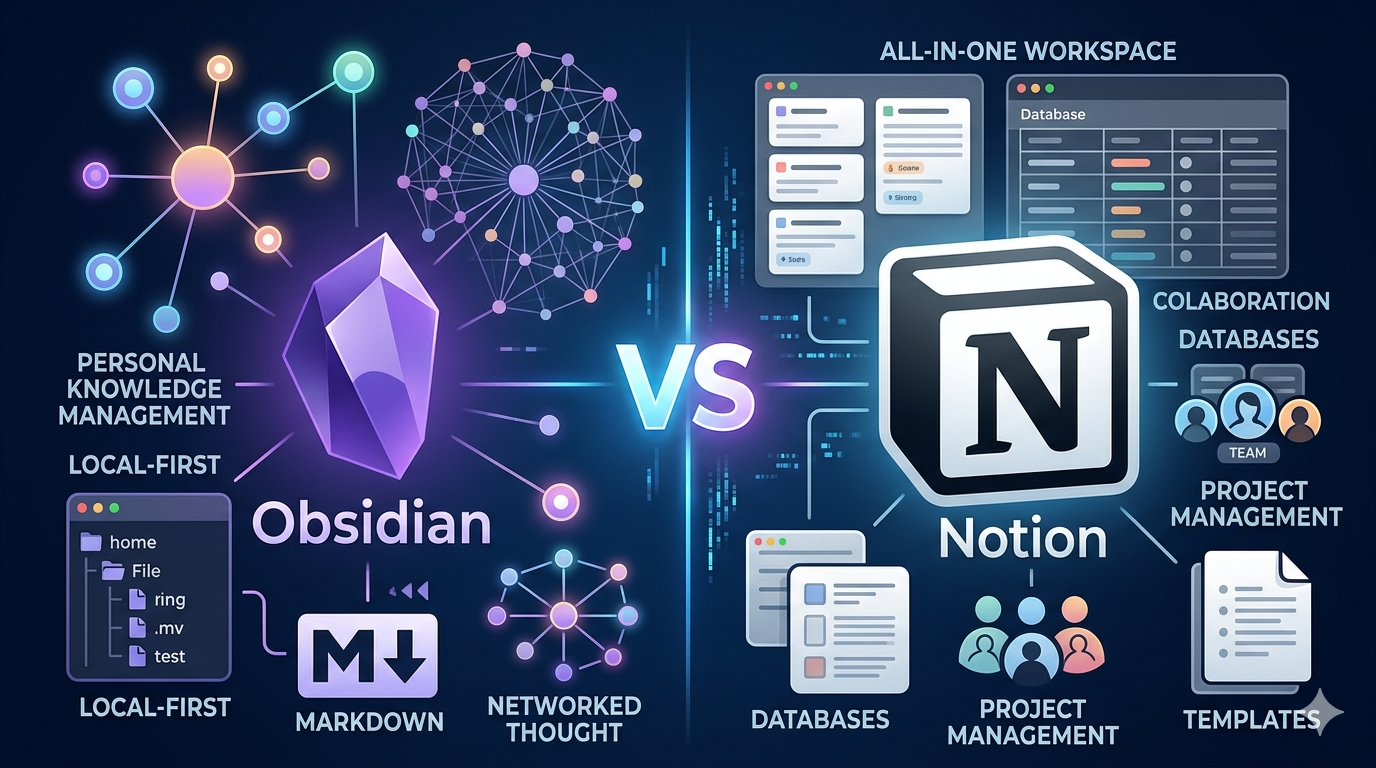
If you have been searching for the right note-taking or knowledge management app, you have almost certainly landed on two names: Obsidian and Notion. Both tools are popular, powerful, and backed by passionate communities. But they are built on completely different philosophies, and choosing the wrong one will slow you down.
This guide covers everything: features, pricing, performance, AI capabilities, collaboration, privacy, use cases, and the honest verdict for each type of user.
Obsidian vs Notion Comparison
| Feature | Obsidian | Notion |
|---|---|---|
| Primary Use Case | Personal knowledge management, note-taking | All-in-one workspace, team collaboration |
| Storage | Local (Markdown files on your device) | Cloud-based (Notion’s servers) |
| Free Plan | Fully featured, no restrictions for personal use | Free for individuals, limited for teams |
| Paid Plans | Sync: $4–$8/month; Publish: $16/month | Plus: $10/user/month; Business: $20/user/month |
| Offline Access | Yes, fully offline by default | Limited (requires internet for most features) |
| Collaboration | Limited (requires paid Sync add-on) | Built-in, real-time |
| AI Features | Via community plugins | Built-in Notion AI (full access on Business plan) |
| Data Format | Plain Markdown (.md files) | Proprietary block format |
| Graph View | Yes, native | No |
| Bidirectional Linking | Yes, core feature | Limited |
| Plugin Ecosystem | 1,400+ community plugins | 250+ integrations |
| Learning Curve | Steep | Moderate |
| Best For | Researchers, writers, developers, solo users | Teams, project managers, businesses |
| Data Ownership | Full — you own your files | Partial — data lives on Notion’s servers |
| Mobile App | Yes (iOS and Android) | Yes (iOS and Android) |
| Platform | Desktop, mobile | Web, desktop, mobile |
What Is Obsidian?
Obsidian is a local-first, Markdown-based note-taking application. It stores all your notes as plain .md files directly on your device. There are no accounts required to get started, no cloud dependency, and no subscription needed for the core features.
The tool was founded in 2020 and quickly became the go-to choice for the Personal Knowledge Management (PKM) community. Its flagship features include bidirectional linking, a visual graph view, and a plugin ecosystem with over 1,400 community-built extensions.
Obsidian’s core idea is simple: your notes are just files on your computer. You can open them in any text editor, back them up however you want, and they will still be readable decades from now even if Obsidian the company disappears tomorrow.
Who Built Obsidian?
Obsidian was created by Shida Li and Erica Xu, two former Dynalist developers. Dynalist was an outliner app, and Obsidian took that team’s experience with structured information and rebuilt it around the concept of linked notes.
The company is small but profitable, funded by optional paid add-ons and community donations rather than venture capital. This keeps the product focused and free of pressure to monetize the core features.
What Is Notion?
Notion is an all-in-one workspace that combines notes, databases, wikis, project management boards, and documents into a single platform. It launched in 2016, reached 100 million active users in Q1 2026, and has become one of the most recognized productivity tools in the world.
Unlike Obsidian, Notion is cloud-first. Everything is stored on Notion’s servers and accessed through a browser or desktop app. The platform is built around a flexible block system where every piece of content — text, images, tables, embeds — is a draggable block that you can rearrange freely.
Notion’s real power shows up in its database feature. You can create a single database and view it as a table, board, calendar, timeline, or gallery — all pulling from the same data. This makes it uniquely suited for teams managing projects, tracking tasks, and building shared knowledge bases.
Who Built Notion?
Notion was co-founded by Ivan Zhao and Simon Last. The company is headquartered in San Francisco and has raised significant venture capital, reaching a multi-billion dollar valuation. Its enterprise sales push has accelerated since 2024, with Notion increasingly positioning itself as a team operating system rather than just a note-taking app.
Core Philosophy: The Fundamental Difference
This is the most important section to understand before comparing any individual feature.
Obsidian is built around your files. Notes are Markdown documents that live on your hard drive. The app is a viewer and editor layered on top of those files. You control everything.
Notion is built around a database. Everything in Notion is stored in a proprietary block format on Notion’s servers. The app is both the interface and the storage layer. The platform controls the structure.
This philosophical difference affects every single feature comparison below. It determines performance, privacy, collaboration ability, long-term data safety, and the kind of workflows each tool supports well.
Feature-by-Feature Breakdown
1. Note-Taking and Writing Experience
Obsidian uses pure Markdown. You type in a plain text environment with lightweight syntax (**bold**, # Heading, - bullet) and Obsidian renders it. The writing experience is minimal and distraction-free. For anyone who already knows Markdown — developers, technical writers, academics — it feels natural and fast.
The tradeoff is that Markdown has limits. Tables in Markdown are clunky to write. Embeds require plugins. There is no drag-and-drop block system. What you gain in simplicity, you lose in visual flexibility.
Notion uses a block editor. You press / to insert any type of content block: paragraph, heading, to-do, toggle, image, embed, table, code block, and dozens more. Everything is draggable. You can nest blocks, add callouts, create toggles, and build visually rich pages without writing a single line of syntax.
For users who want visually polished notes without thinking about formatting syntax, Notion’s editor is more beginner-friendly. For users who want speed and simplicity, Obsidian’s Markdown editor is harder to beat.
Winner for writing: Tie — depends on your preference. Markdown fans choose Obsidian. Visual block editor fans choose Notion.
2. Organization and Structure
Obsidian organizes notes in two ways: folders and links. You can create a traditional folder hierarchy, but the real Obsidian workflow is built around wikilinks. You link notes to each other using [[double brackets]], creating a web of connected ideas. Over time, this web becomes your knowledge base.
Obsidian also supports tags, YAML frontmatter for metadata, and the Dataview plugin (one of the most popular in the community) which lets you query your notes like a database using a simple query language.
Notion organizes everything in a page hierarchy. Pages can contain sub-pages, and sub-pages can contain further sub-pages. On top of that, Notion’s databases are where the real organization power lives. You can add properties to database entries — dates, tags, checkboxes, relations to other databases, rollups — and filter or sort them in multiple views.
For project management and structured data, Notion’s database system is significantly more powerful than anything Obsidian offers natively.
Winner for organization: Notion wins for structured data and project management. Obsidian wins for organic, linked personal knowledge.
3. Graph View and Bidirectional Linking
This is Obsidian’s signature feature and the reason many users switch from other tools.
Obsidian’s Graph View displays a live, interactive map of all your notes and the links between them. Every note is a node. Every link is an edge. As you build your knowledge base, the graph grows and reveals connections you might never have noticed consciously.
Bidirectional linking means that when you link from Note A to Note B, Obsidian automatically records a backlink on Note B showing that Note A references it. You can browse backlinks on any note to see every other note that connects to it.
For researchers, academics, and knowledge workers building a “second brain,” this feature is transformative. It mirrors how human memory actually works — through associations, not rigid folders.
Notion does not have a native graph view. Some users have tried third-party tools or custom API scripts to generate graph visualizations from Notion data, but none come close to Obsidian’s native, real-time experience. Notion has basic relation properties in databases, but true bidirectional linking across all pages does not exist.
Winner: Obsidian — no contest.
4. Databases and Structured Data
Notion dominates this category.
Notion’s database system is one of its defining features. You create a database once, then view it in multiple formats: Table, Board (Kanban), Calendar, Timeline (Gantt), Gallery, and List. Each view is just a different lens on the same data. No duplication.
You can add rich properties to each database entry: text, numbers, dates, checkboxes, select options, multi-select, relation to another database, rollup formulas, and more. This turns Notion into a lightweight project management tool, a CRM, a content calendar, an inventory tracker — all in one platform.
Obsidian can replicate basic database functionality using the Dataview plugin, which lets you write queries against your notes’ frontmatter. It works well for simple use cases, but it requires you to write query syntax and configure everything manually. There is nothing as visual or intuitive as Notion’s native database views.
Winner: Notion — by a large margin.
5. Collaboration
Notion was built for teams. Multiple users can edit the same page simultaneously. You can leave comments on any block, mention teammates with @name, assign tasks, set permissions at the page or database level, and control who can view, edit, or share. The entire collaboration stack is built in.
Obsidian is fundamentally a solo tool. Because notes are local files, there is no native real-time collaboration. The closest option is Obsidian Sync, a paid add-on ($8/month) that synchronizes your vault across your own devices. Sharing with others requires workarounds: a shared folder service like Dropbox, a Git repository, or publishing to Obsidian Publish ($16/month) for a read-only website.
For teams, the collaboration gap between the two tools is significant. Obsidian simply was not designed for that use case.
Winner: Notion — no comparison.
6. Offline Access
Obsidian wins here completely. Because everything is stored locally, Obsidian works perfectly without an internet connection. You can create, edit, search, and link notes on a plane, in a remote cabin, in a library with no Wi-Fi, or anywhere else. There is no degraded experience offline.
Notion requires an internet connection for almost everything. The desktop app caches recently visited pages, but the cache is limited. If you are offline for an extended period, you may not be able to access key parts of your workspace. Syncing resumes when you reconnect, but offline access is not reliable enough to depend on.
For users who travel frequently, work in areas with unreliable internet, or simply prefer not to depend on cloud services, Obsidian’s offline capability is a major practical advantage.
Winner: Obsidian.
7. Performance and Speed
Both Obsidian and Notion run on Electron, a framework that packages web technology into a desktop app. This means neither is as lightweight as a native application.
Obsidian typically uses between 200 and 500 MB of RAM depending on vault size and active plugins. Because it reads files directly from disk and does not constantly call remote servers, it opens quickly and searches instantly — even with thousands of notes.
Notion’s desktop app has similar memory usage but also consumes bandwidth continuously for syncing. Page loads can lag, especially on slower internet connections or when opening complex pages with many database blocks. Search in large Notion workspaces can feel slow compared to Obsidian’s local full-text search.
On mobile, both apps have iOS and Android versions. Obsidian’s mobile app works offline but has historically been less polished than the desktop. Notion’s mobile app is more refined for everyday use but depends on connectivity.
Winner: Obsidian for speed and offline reliability. Notion for mobile polish.
8. AI Features
Notion AI has seen heavy investment throughout 2025 and 2026. It powers writing assistance, summarization, translation, and content generation directly inside your workspace. In 2026, Notion expanded its AI offering with AI Agents that can perform end-to-end tasks: searching across the workspace, planning projects, editing pages, updating database entries, and drafting emails through Notion Mail.
Full AI access now requires the Business plan ($20/user/month after Notion killed the standalone $10/month AI add-on in May 2025). Free and Plus users get only a limited trial of basic AI writing features.
Obsidian does not have built-in AI. Instead, AI functionality comes through community plugins. The most popular options integrate with OpenAI, Claude, or local language models to enable smart search, note summarization, and idea connection. The Smart Connections plugin uses embeddings to surface semantically related notes — something Notion does not do natively.
For users who want polished, built-in AI that works across databases and team workflows, Notion is ahead. For users who want control over which AI model they use, or who want to run a local model for privacy reasons, Obsidian’s plugin-based approach is more flexible.
Winner: Notion for integrated AI. Obsidian for AI flexibility and privacy.
9. Plugin and Integration Ecosystem
Obsidian has over 1,400 community plugins covering everything from advanced note formatting to full project management, spaced repetition flashcards, Pomodoro timers, Kanban boards, citation managers (Zotero integration), Git version control, and much more. The plugin system is open and powerful, which is why Obsidian users often describe building their own custom workflow rather than using a fixed tool.
The tradeoff is that plugins vary in quality, update frequency, and compatibility. A poorly maintained plugin can break after an Obsidian update. Managing many plugins requires ongoing attention.
Notion offers over 250 official integrations with external services: Slack, GitHub, Jira, Figma, Salesforce, Google Drive, Zapier, and many more. These integrations are generally more polished and officially maintained compared to Obsidian’s community plugins. Notion also has an API that developers can use to build custom integrations.
Winner: Obsidian for raw plugin power. Notion for polished external integrations.
10. Data Ownership and Privacy
This is where the tools differ most fundamentally.
Obsidian stores all notes as plain Markdown files on your local device. You own the files completely. You can back them up to any service, version control them with Git, open them in any text editor, and access them forever — even without Obsidian installed. If Obsidian shuts down tomorrow, your data is 100% safe and usable.
Obsidian Sync provides end-to-end encryption, meaning even Obsidian’s servers cannot read your synced data.
Notion stores your data on its proprietary servers in a proprietary block format. You can export your workspace as Markdown and CSV files, but the export is not lossless — complex database relationships, rollup properties, and embedded content may not survive the conversion. If Notion changes pricing, experiences an outage, or shuts down, your access to your data depends entirely on that export process.
Notion updated its privacy policy in 2025 to strengthen GDPR compliance and added enterprise features like SAML SSO, SCIM user provisioning, and audit logs. These are solid improvements, but the fundamental vendor lock-in risk remains.
For anyone who cares deeply about long-term data security, data portability, or privacy from cloud services, Obsidian is the safer choice.
Winner: Obsidian — significantly.
Pricing Comparison: Obsidian vs Notion
Obsidian Pricing
Core App: Free Obsidian’s core app is completely free for both personal and commercial use. There is no sign-up required. You get all features, all themes, all community plugins, and full offline functionality at zero cost.
Obsidian Sync: $4–$8/month The paid Sync add-on enables encrypted cloud syncing across your devices. Pricing starts at $4/month (billed annually) for the basic tier and $8/month for more storage and version history.
Obsidian Publish: $16/month This add-on lets you publish your notes as a public website. It supports custom domains, theming, and navigation. Useful for people who want to share their notes publicly, like researchers or writers.
Catalyst License: One-time $25+ This is a voluntary supporter license that gives you early access to insider builds and community badges. It is not required for any features.
Commercial License: Previously $50/user/year As of 2025, Obsidian made the commercial license optional. The core app is now free for both personal and business use.
Notion Pricing
Free Plan: $0 The free plan includes unlimited blocks for individuals, collaborative workspaces, and basic integrations. File uploads are limited to 5MB per file, and version history is capped at 7 days. Notion AI is available only as a limited trial.
Plus Plan: $10/user/month (billed annually) This removes Free plan limits, allows larger file uploads, provides 30-day version history, and unlocks Notion Sites and Forms. Includes only basic AI writing assistance — not AI Agents.
Business Plan: $20/user/month (billed annually) This is the first plan with full AI access including AI Agents, Ask Notion, and AI Meeting Notes. It also adds SAML SSO, private teamspaces, advanced database permissions, and premium integrations. This is where Notion becomes genuinely useful for larger teams.
Enterprise Plan: Custom pricing Designed for large organizations. Includes SCIM user provisioning, audit logs, advanced security controls, zero data retention with LLM providers, a dedicated Customer Success Manager, and workspace consolidation. Pricing requires contacting Notion’s sales team.
Education Plan: Free Students with a .edu email get the Plus plan equivalent for free, including unlimited blocks, file uploads, and access to Notion AI.
Cost Comparison Summary
| Scenario | Obsidian Cost | Notion Cost |
|---|---|---|
| Solo user, personal notes | Free | Free |
| Solo user + sync across devices | $4–8/month | Free (limited) or $10/month Plus |
| Small team (5 users) | Free (no native collab) | $50/month (Plus) |
| Team with AI features (5 users) | Free + plugin setup | $100/month (Business) |
| Large team (50 users) with AI | Free + plugin setup | $1,000/month (Business) |
For solo users, Obsidian is dramatically cheaper. For teams that need real collaboration and AI, Notion’s costs scale significantly with user count.
Obsidian vs Notion: Use Case Breakdown
For Researchers and Academics
Obsidian is the clear choice for deep research workflows. Bidirectional linking and the graph view let you connect concepts across hundreds of papers and sources in ways that traditional folder systems cannot replicate.
Researchers in medicine, law, philosophy, computer science, and social sciences consistently prefer Obsidian for building long-term, interconnected knowledge bases. The Zotero integration plugin allows researchers to pull citations directly from their reference manager into Obsidian notes.
Notion can work for research, but it functions better as a project tracker for research tasks rather than a tool for deep knowledge synthesis.
Best choice: Obsidian.
For Writers and Authors
Writers working on long-form content — books, dissertations, investigative journalism, screenplays — benefit from Obsidian’s distraction-free editor, unlimited local storage, and Canvas feature for mapping narrative structures.
The Longform plugin turns Obsidian into a focused book-writing environment with chapter organization, word count tracking, and manuscript compilation. Writers can work entirely offline during critical writing sessions with no risk of server outages interrupting their work.
Notion suits writers who are also managing a content calendar, working with editors, or running a publication team. It handles the operational side of writing well. But for the act of writing itself, Obsidian’s environment is cleaner.
Best choice: Obsidian for long-form writing. Notion for content operations.
For Students
The answer depends on how you study.
Obsidian is better for solo study, connecting ideas across subjects, building a personal knowledge base over the course of a degree, and working offline. It is completely free, which matters when you are managing a student budget. Research-heavy students — those in graduate programs or fields requiring heavy reading and synthesis — get the most value from Obsidian’s linking system.
Notion is better for group projects, tracking assignments with due dates, organizing course materials visually, and collaborating with classmates. Its database views make managing multiple courses and deadlines easy. The free Education plan (available with a .edu email) includes unlimited blocks, file uploads, and Notion AI, which removes cost as a factor for students evaluating Notion.
Best choice: Obsidian for solo deep learning. Notion for course management and group work.
For Developers and Engineers
Developers tend to love Obsidian because of its Markdown foundation. Plain .md files integrate naturally with version control systems like Git. You can store your Obsidian vault in a GitHub repository, track changes with commits, and collaborate with other developers on documentation using standard Git workflows.
The plugin ecosystem includes Git integration, code block syntax highlighting, terminal integration, and even API documentation generators. Developers who already live in VS Code or terminal environments find Obsidian’s philosophy familiar.
Notion is used by engineering teams for runbooks, onboarding wikis, sprint planning, and internal documentation. It works well for this but is less natural for developers who prefer plain text and version control.
Best choice: Obsidian for personal knowledge and documentation. Notion for team wikis and project planning.
For Teams and Businesses
Notion wins this category clearly. It was built for team collaboration from the ground up.
Teams use Notion for project tracking, meeting notes, product roadmaps, HR wikis, customer databases, content calendars, and onboarding documentation. Real-time editing, comments, permissions, and integrations with Slack, GitHub, and Salesforce make it a capable team operating system.
Obsidian simply does not have the collaboration infrastructure for team use. The closest workaround is a shared Git repository or shared folder sync, but neither provides the real-time collaboration experience that Notion delivers natively.
Best choice: Notion — unambiguously.
For Personal Knowledge Management (PKM)
This is Obsidian’s home turf. Obsidian dominates the PKM niche, commanding the top position among power users, developers, and researchers who want to build a “second brain.”
The combination of bidirectional linking, the graph view, daily notes, templates, and a plugin ecosystem that can add spaced repetition, book tracking, habit journaling, and more makes Obsidian the most customizable PKM tool available.
Notion can function as a personal knowledge base, but it lacks the emergent connection-building that Obsidian’s linking system enables. Notion’s structure is more top-down (you define the hierarchy), while Obsidian’s is more bottom-up (links emerge organically).
Best choice: Obsidian.
For Project Management
Notion wins here too. Its database system with multiple views, relations between databases, rollup properties, timeline views, and built-in task assignment covers the core of lightweight project management.
Teams use Notion as a replacement for tools like Trello, Asana, or Airtable for simpler project tracking needs. While it does not fully replace dedicated project management software at the enterprise level, it is remarkably capable for small to mid-sized teams.
Obsidian has a Kanban plugin and can track tasks using Markdown checkboxes, but these are workarounds compared to Notion’s native project management features.
Best choice: Notion.
For Journaling and Daily Notes
Both tools handle journaling well, but differently.
Obsidian has a built-in Daily Notes core plugin that creates a new note each day with a customizable template. Many users combine this with the Periodic Notes plugin for weekly, monthly, and yearly reviews. All daily notes link into the main knowledge graph, so past reflections can connect to current thinking.
Notion supports daily journaling through custom templates. You can set up a journal database with each entry as a row, which makes it easy to search, filter, and look back over past entries by date, mood, or tag.
Best choice: Tie — both are capable. Obsidian for integrated PKM journaling, Notion for structured, searchable journal databases.
Learning Curve: Honest Assessment
Notion has a moderate learning curve. The block editor is intuitive enough for most people to start using productively within a few hours. Understanding databases takes longer — maybe a day or two of focused exploration. The template gallery (with thousands of community-made templates) dramatically shortens the setup time.
Obsidian has a steep learning curve, particularly for users unfamiliar with Markdown or the PKM philosophy. Getting the core app running is easy. But getting real value out of Obsidian requires investing time in understanding the linking system, setting up a plugin stack, choosing an organizational method (there are many competing systems like PARA, Zettelkasten, and Johnny Decimal), and maintaining your vault as it grows.
The payoff for Obsidian’s learning curve is substantial — users who invest the time often describe it as fundamentally changing how they think and manage knowledge. But casual users who want to start taking notes immediately may find Obsidian frustrating without a clear setup guide.
Verdict: Notion is faster to start with. Obsidian rewards more investment but takes longer to learn.
Data Portability and Long-Term Safety
This is a question more people should be asking before committing to any digital tool.
Obsidian is the gold standard for data portability. Your notes are plain Markdown files. You can open them in VS Code, Typora, iA Writer, Vim, Notepad, or any text editor on any operating system. They will be readable 20 years from now. You can back them up to any service, version control them, and migrate to any future tool that supports Markdown. There is zero vendor lock-in.
Notion gives you an export option (Settings > Workspace > Export) that produces Markdown and CSV files. But the export is not lossless. Complex database relations, rollup properties, calendar views, and embedded content may not survive the conversion cleanly. Community tools like notion-to-obsidian converters help clean up exported files, but expect manual work for complex workspaces.
The vendor lock-in risk with Notion is real. If Notion changes pricing dramatically, experiences a prolonged outage, or shuts down, your data recovery depends on an export process that may not capture everything.
For anyone building a long-term knowledge base, this difference matters enormously.
Obsidian vs Notion: AI Features in Depth
Notion AI (2025–2026)
Notion has invested more heavily in AI than almost any other productivity tool in this category. The 2026 version of Notion AI includes:
- Writing assistance: Draft, edit, summarize, and translate content directly inside any page
- AI Agents: Autonomous agents that can search your workspace, edit pages, update database entries, plan projects, and perform multi-step tasks
- Ask Notion: A Q&A interface that searches across your entire workspace and answers questions based on your content
- AI Meeting Notes: Automatic summarization and action item extraction from meetings (Business and Enterprise only)
All of these features are integrated natively into the Notion interface. You do not need to set anything up. The tradeoff is cost: full AI access requires the Business plan at $20/user/month.
Obsidian AI (Via Plugins)
Obsidian’s AI capabilities come through community plugins. The main options include:
- Copilot Plugin: Connects to OpenAI, Claude, Gemini, or local models. Lets you chat with your notes, generate content, and run custom prompts
- Smart Connections: Uses embeddings to find semantically similar notes — notes that are related in meaning even if they do not share direct links. This is a unique capability that Notion does not replicate
- Text Generator: AI writing assistance directly in the editor
The advantages of plugin-based AI: you choose your model, you control your data, and you can run local models (like Ollama) for completely private AI processing. The disadvantage: setup requires technical comfort, and the experience is less polished than Notion AI.
For users who want AI to process sensitive personal or professional data without sending it to a third-party cloud, Obsidian’s local AI plugin approach is uniquely valuable.
Can You Use Both Obsidian and Notion?
Yes, and many people do. The tools complement each other rather than directly competing for the same workflow.
A common setup is:
- Obsidian for personal thinking, reading notes, journaling, and long-term knowledge building
- Notion for team work, project management, shared documentation, and client-facing wikis
Some users also migrate notes between the two. Notion’s Markdown export can be placed directly into an Obsidian vault. The process requires some cleanup (especially for database content), but it is workable.
There is no rule that says you must choose one. If you have team collaboration needs and also want a personal knowledge base, running both is a legitimate strategy that a lot of productive people use.
Obsidian vs Notion: Security
Obsidian stores notes locally. The security model is as strong as your device’s security. If you enable Obsidian Sync, your data is end-to-end encrypted during transit and storage — Obsidian’s servers cannot read it. For users who skip Sync and use iCloud, Dropbox, or Git for synchronization, the security posture depends on those providers.
Notion updated its privacy policy in 2025 to strengthen GDPR compliance and added enterprise-grade security features: SAML SSO, SCIM user provisioning, audit logs, and zero data retention with LLM providers (Enterprise plan only). These are serious improvements, especially for enterprise customers.
That said, Notion’s fundamental model means the company has access to your workspace content. For sensitive personal notes, competitive business information, or legal documentation, this is a meaningful concern.
For maximum security: Obsidian. For enterprise compliance with auditing requirements: Notion’s Enterprise plan.
Obsidian vs Notion: Templates and Getting Started
Notion Templates
Notion’s template gallery is one of its biggest practical advantages. There are thousands of free and paid templates built by the Notion team and the community. You can start with a finished project tracker, content calendar, CRM, meeting note system, habit tracker, or reading log in minutes. The visual design of many community templates is polished and professional.
Common Notion templates that people use daily include:
- Weekly Planner: A database-driven planner with tasks, events, and priorities organized by day
- Content Calendar: A publication database with views by status (Draft, Review, Published), by date, and by channel
- Personal CRM: A contacts database with relation to company, last contact date, and notes
- Reading List: A book database with reading status, ratings, and notes
- Meeting Notes: A template that captures attendees, agenda, discussion points, and action items
- Project Dashboard: A master database that connects projects, tasks, and team members
Templates lower Notion’s learning curve substantially. You do not need to design your workspace from scratch. You choose a template, customize it, and start entering data.
Obsidian Templates
Obsidian has a built-in Templates core plugin that lets you create reusable note structures. You set a templates folder, design .md files with your preferred structure, and insert them into new notes with a hotkey. Community plugin Templater extends this with dynamic variables, JavaScript functions, and conditional logic — making it possible to build sophisticated automated templates.
However, Obsidian’s template setup requires more effort than Notion. You are creating your system from scratch. There is no gallery with polished pre-built templates ready to import in one click. The community shares template systems on forums and YouTube, but you have to set them up yourself.
Popular Obsidian template systems include:
- PARA Method (Projects, Areas, Resources, Archives): A folder-based system by Tiago Forte for organizing all information
- Zettelkasten: A note-linking methodology developed by sociologist Niklas Luhmann, popular with academics and researchers
- Johnny Decimal: A numbered ID system for organizing notes and files with precision
- LYT (Linking Your Thinking): A Map of Content approach developed by Nick Milo, built around index notes that link to related clusters
Each of these systems has passionate communities, YouTube tutorials, and starter vaults that you can download. But there is a steeper initial investment compared to picking a Notion template.
Verdict: Notion wins for fast, polished setup. Obsidian wins for deep, customizable systems.
Obsidian vs Notion: The Interface and Visual Design
Notion’s Interface
Notion uses a clean, minimal aesthetic that feels modern and approachable. The sidebar shows your page hierarchy. The main view shows the current page with blocks. The database views (table, board, calendar, timeline, gallery) are visually distinct and easy to navigate.
Notion’s drag-and-drop interface makes rearranging content intuitive. Inline comments, @mentions, and emoji icons give pages a collaborative, social feel. The overall look is polished enough that many users share screenshots of their Notion setups as aesthetic content on social media.
The / command menu (type / anywhere to insert a new block type) is one of Notion’s best UX features. It is fast, searchable, and covers every possible block type from simple text to complex databases.
Obsidian’s Interface
Obsidian’s default interface is more utilitarian. The left sidebar shows your file system, recent files, and search. The main view shows the note editor. The right sidebar can show backlinks, outgoing links, tags, and an outline. The graph view opens in a separate pane.
In Reading View, Obsidian renders Markdown into formatted text. In Editing View, you see the raw Markdown (or Live Preview mode, which renders inline as you type). Live Preview mode, added in later versions, has made the editor much more pleasant for non-technical users.
Obsidian is highly themeable. The community has built hundreds of CSS themes that dramatically change the visual appearance — everything from minimalist monochrome themes to dark academic aesthetics to macOS-style designs. With themes and a few appearance plugins, Obsidian can look every bit as polished as Notion.
But the default Obsidian experience out of the box is more spartan. Users coming from Notion often need to invest 30–60 minutes in theme selection and basic settings before the interface feels comfortable.
Verdict: Notion is more immediately visually appealing. Obsidian has more visual flexibility once you invest in customization.
Obsidian vs Notion: Search and Navigation
Good search is critical for any knowledge management tool. As your notes grow into the hundreds or thousands, search becomes the primary way you navigate.
Obsidian Search
Obsidian’s search is fast because it searches your local files directly. Full-text search across thousands of notes returns results almost instantly. You can use:
- Keyword search: Basic text matching
- Tag search:
tag:#tagname - Path search:
path:folder-name - File search:
file:filename - Header search:
heading:text - Regex search: Full regular expression support for advanced pattern matching
The Omnisearch plugin improves on the built-in search with fuzzy matching and better result ranking. The Smart Search plugin (AI-powered) can find semantically related notes even without exact keyword matches.
Notion Search
Notion’s search searches your entire workspace including page titles, content, database properties, and comments. It is contextually smart — it prioritizes recently visited pages and understands workspace structure.
For individuals, Notion’s search is good. For large team workspaces with hundreds of pages, it can feel less precise. The Ask Notion feature (Business plan) adds an AI-powered Q&A layer that answers questions based on workspace content, which is more powerful than traditional keyword search.
Verdict: Obsidian wins on speed (local files vs cloud). Notion’s Ask Notion wins on semantic understanding for large workspaces.
Obsidian vs Notion: Customization
Obsidian Customization
Obsidian’s customization is among the deepest of any productivity app on the market.
Themes: Hundreds of community CSS themes completely change the visual appearance. Popular themes include Minimal, Things, Catppuccin, AnuPpuccin, and Dracula. Each has multiple color variants.
CSS Snippets: You can add small CSS files to tweak specific aspects of the interface without changing the full theme — adjusting font sizes, changing callout colors, hiding specific UI elements.
Plugins: With over 1,400 community plugins, you can extend Obsidian into almost any workflow. The most popular plugins include:
- Dataview: Query your notes like a database
- Templater: Advanced dynamic templates
- Calendar: A calendar sidebar showing daily notes
- Kanban: A visual board view for project management
- Excalidraw: A full-featured whiteboard and drawing tool inside Obsidian
- Spaced Repetition: Flashcard review using the SM-2 algorithm
- Periodic Notes: Daily, weekly, monthly, yearly note creation
- Git: Version control integration with GitHub
Hotkeys: Every Obsidian action can be mapped to a custom keyboard shortcut.
Workspaces: Obsidian can save different layout configurations as workspaces — switching between a writing layout, a research layout, and a daily review layout with a single click.
Notion Customization
Notion’s customization is real but more constrained. You can:
- Choose from multiple page icon options (emoji, custom, or Notion’s icon set)
- Add cover images to pages
- Switch between full-width and centered layouts
- Use different database views and configure filters/sorts
- Create templates for database entries
What you cannot do: change the underlying CSS, install plugins that extend core functionality, or significantly alter the interface beyond Notion’s built-in options.
Notion is highly customizable within its system. Obsidian is customizable beyond its system.
Verdict: Obsidian wins for deep customization. Notion wins for customization within a structured, team-friendly framework.
Obsidian vs Notion: Canvas and Visual Thinking
Obsidian Canvas
Obsidian introduced Canvas as a core feature — a free-form, infinite whiteboard where you can place notes, images, web links, and PDFs, then draw connections between them. Canvas is useful for:
- Mind mapping and brainstorming
- Visual project planning
- Mapping narrative structures for long writing projects
- Creating visual overviews of a knowledge topic
Because Canvas items are actual notes from your vault, changes in a Canvas card reflect in the note itself. The whiteboard and your knowledge base are genuinely connected.
Notion and Visual Thinking
Notion does not have a native whiteboard or canvas feature. Users who need visual thinking tools inside Notion typically embed external tools like FigJam, Miro, or Excalidraw as embeds within Notion pages. These work but add another tool to the stack and lack the deep integration that Obsidian Canvas has with your vault.
Verdict: Obsidian wins for integrated visual thinking. Notion relies on third-party embeds.
Obsidian vs Notion: Publishing and Sharing
Obsidian Publish
Obsidian Publish ($16/month) turns your vault notes into a public website. You choose which notes to publish, and Obsidian hosts them at a .publish.obsidian.md URL (or a custom domain for an additional fee). The site preserves your backlinks and graph view, making it genuinely useful for researchers, academics, and writers who want to share a public digital garden.
Some notable public Obsidian Publish sites include academic researchers sharing literature notes, developers sharing technical documentation, and writers sharing their note-taking systems.
Notion Pages and Notion Sites
Notion has always allowed making individual pages public with a shareable link. In 2024–2025, Notion expanded this with Notion Sites — a more polished public page experience with custom domains (available on Plus and higher plans), SEO settings, and navigation elements.
Notion Sites are more visually polished out of the box than Obsidian Publish. They support embedded databases, dynamic content, and the full Notion block system. However, they do not show a graph view or backlink structure.
For publishing a public knowledge base or research notes with visible connections: Obsidian Publish. For publishing a clean, visually polished website built on your Notion workspace: Notion Sites.
Obsidian vs Notion: Integrations with Other Tools
Notion Integrations
Notion maintains an official integration directory with connections to:
- Communication: Slack, Notion Mail
- Development: GitHub, GitLab, Jira, Linear
- Design: Figma, Sketch
- Automation: Zapier, Make (Integromat)
- CRM and Sales: Salesforce, HubSpot
- Analytics: Google Analytics
- Calendar: Google Calendar, Notion Calendar
- Storage: Google Drive, Dropbox
These integrations are generally maintained by Notion or the partner companies. They work reliably and are configured through Notion’s interface without technical knowledge.
Notion’s public API also allows developers to build custom integrations. There is a large marketplace of third-party tools built on the Notion API — dashboards, automation tools, reporting tools, and more.
Obsidian Integrations
Obsidian integrates with external tools primarily through community plugins:
- Zotero: Citation manager integration for academic research
- Git: GitHub/GitLab version control
- Readwise: Import highlights from Kindle, web articles, and podcasts
- Anki: Export flashcards to the popular spaced repetition app
- Toggl: Time tracking
- Day One: Journaling app integration
- Apple Reminders/Calendar: Calendar and reminder integration via plugins
Because Obsidian notes are plain files, it also integrates naturally with automation tools like Keyboard Maestro, Alfred, Raycast, and shell scripts — giving technically inclined users enormous flexibility.
Verdict: Notion wins for official, polished integrations. Obsidian wins for flexibility with technical tools and file-based automation.
Obsidian vs Notion: Version History
Notion includes version history on all paid plans. Plus gives 30 days of history. Business gives 90 days. Enterprise gives unlimited. You can browse earlier versions of any page and restore content. This is useful when you accidentally delete content or want to see how a document evolved.
Obsidian does not have built-in version history for notes. However, because notes are plain Markdown files, you can version control them using Git. The Git plugin automatically commits your vault changes on a schedule to a local or remote repository. This gives you complete, unlimited version history — more thorough than anything Notion offers natively.
For non-technical users who are not familiar with Git, Obsidian Sync does offer limited version history (up to 12 months on the higher tier). But the full power of version control in Obsidian requires Git.
Verdict: Notion’s version history is easier to use. Obsidian with Git provides more powerful version control for technical users.
Obsidian vs Notion: The PKM Market Context
Understanding where these tools sit in the broader market helps put the comparison in perspective.
According to market data from 2026, Notion holds approximately 25 percent of the note-taking and knowledge management market, up from 20 percent in 2025, driven primarily by enterprise adoption. Obsidian commands about 8 percent market share but dominates the personal knowledge management niche, where it is the top choice among power users, developers, and researchers.
Notion reached 100 million active users in Q1 2026. The company’s enterprise sales push has expanded significantly, positioning Notion as a team operating system that can replace multiple tools — wiki software, project boards, simple databases, and document editors — in a single platform.
Obsidian’s growth is slower in raw numbers but deep in user commitment. The PKM community around Obsidian is among the most engaged in any productivity tool category, producing thousands of tutorials, YouTube videos, plugin documentation pages, and community forums.
The tools are also not competing for the same primary user. Notion’s growth is driven by teams and businesses. Obsidian’s growth is driven by individuals seeking data ownership and deeper knowledge management. These are largely separate markets.
Common Misconceptions About Obsidian and Notion
“Obsidian is too complicated for regular users”
Obsidian has a reputation for being a “power user tool,” but this overstates the learning curve for basic use. Creating notes, linking them with [[brackets]], and browsing the graph view does not require technical knowledge. The complexity comes when you start configuring plugins and building elaborate systems — but that is optional. You can use Obsidian as a simple, offline, Markdown notepad with zero configuration.
“Notion is just for teams”
Notion is an excellent solo tool. Millions of individual users run their entire life organization — personal projects, reading lists, habit tracking, travel planning, budgeting — inside a free Notion workspace. The free plan is generous for individual use, and the template library makes it easy to set up useful systems quickly.
“You need to choose one or the other”
No rule requires this. As mentioned earlier, many productive people use both: Obsidian for personal thinking and Notion for team work. The tools are not mutually exclusive, and both have free tiers that make experimenting with both easy.
“Obsidian Sync is the only way to sync Obsidian”
You can sync an Obsidian vault using iCloud, Dropbox, OneDrive, Google Drive, Syncthing, or a Git repository — all for free. Obsidian Sync is a paid option that adds end-to-end encryption and official support, but it is not the only path to multi-device sync.
“Notion is unsafe for sensitive data”
Notion’s security practices are solid and have improved significantly with GDPR updates in 2025 and enterprise-grade features. For most business and personal use cases, Notion’s security is entirely adequate. The concern is more about data portability and vendor lock-in than immediate security risk. For highly sensitive data — medical records, legal documents, competitive intelligence — local storage with Obsidian is genuinely safer.
Obsidian vs Notion for Specific Professions
For Lawyers
Legal professionals handling sensitive client documents benefit from Obsidian’s local storage. Case notes, research, and client information stay on your device. The ability to link related case notes through bidirectional links creates a useful case knowledge graph over time.
Notion can work for law firms that need shared case management, but storing privileged information on a third-party cloud server raises compliance considerations depending on jurisdiction.
For Doctors and Healthcare Professionals
Similar to legal work, medical professionals handling patient information need to consider data compliance (HIPAA in the US, for example). Storing patient-related notes in Notion requires confirming whether Notion offers a HIPAA-compliant Business Associate Agreement — which as of 2026, Notion does not offer by default.
Obsidian’s local storage is safer from a compliance standpoint for sensitive clinical notes.
For Freelancers and Solopreneurs
Notion is popular with freelancers for managing clients, projects, invoices, and content calendars. The database system works well for tracking multiple client projects simultaneously. The free and Plus plans are cost-effective for individual freelancers.
Obsidian suits freelancers who prioritize knowledge management — consultants, researchers, and writers who are building specialized expertise and want to connect their learning over time.
For Product Managers and Designers
Notion is the preferred choice for most product managers. Its database views (Kanban for sprints, timeline for roadmaps, table for feature tracking), collaboration features, and integration with GitHub and Jira make it a natural fit for product workflows.
Designers use Notion for project briefs, design system documentation, and shared asset libraries. Figma embeds in Notion work well for keeping design assets connected to project documentation.
For Teachers and Educators
Notion’s collaborative features make it useful for teachers managing course content, student submissions, and resource libraries. Shared Notion workspaces give students access to course materials in a structured, searchable format.
Obsidian suits teachers building their own personal knowledge base of subject matter — a philosophy teacher building a network of notes on ethical arguments, for example, benefits directly from Obsidian’s linking system.
Switching Between Obsidian and Notion
Moving from Notion to Obsidian
- Go to Notion’s Settings > Workspace > Export
- Select “Markdown & CSV” as the export format
- Download the exported zip file
- Unzip and place the folder as your Obsidian vault
- Use a community conversion tool (notion-to-obsidian on GitHub) to fix link formatting
- Review database exports (CSV files) and manually convert to Markdown if needed
Expect some cleanup work. Complex databases with relations, formulas, and multiple views do not convert cleanly.
Moving from Obsidian to Notion
- In Notion, create a new workspace page
- Use the “Import” feature (from the sidebar) and select Markdown
- Upload your
.mdfiles or zip your vault folder and import - Rebuild any database structures manually — Markdown files import as regular pages, not databases
- Recreate internal links using Notion’s
@mention system
The main loss going from Obsidian to Notion is the graph view and bidirectional linking, which have no equivalent in Notion.
Pros and Cons Summary
Obsidian
Pros
- Completely free for personal use — no paywalls on core features
- Full offline access, always
- True data ownership — plain Markdown files you control forever
- Bidirectional linking and graph view for building a connected knowledge base
- 1,400+ plugins for deep customization
- End-to-end encrypted sync when using Obsidian Sync
- Works with Git for version control
- Distraction-free writing environment
Cons
- Steep learning curve for non-technical users
- No native real-time collaboration
- Mobile app is functional but less polished than Notion’s
- No native database system — requires plugins for structured data
- Plugin quality and maintenance varies
- Initial setup requires significant configuration effort
Notion
Pros
- Beginner-friendly with a shorter learning curve
- Powerful native database system with multiple views
- Built-in real-time collaboration for teams
- Official integrations with Slack, GitHub, Jira, Salesforce, and more
- Native AI with writing assistance, agents, and meeting notes (Business plan)
- Thousands of community templates to start quickly
- Generous Education plan for students
- Strong mobile app
Cons
- Data stored in proprietary format on Notion’s servers — export is not lossless
- Full AI access requires the Business plan ($20/user/month minimum)
- Limited offline access — most features require internet
- Vendor lock-in risk — complex workspaces are hard to migrate
- Can feel sluggish on complex pages or slow connections
- Free plan has file upload limits and capped version history
- No graph view or true bidirectional linking
What Real Users Say: Community Sentiment
The Obsidian and Notion communities have very different personalities.
The Obsidian community on Reddit (r/ObsidianMD) is deeply invested in PKM philosophy. You will find discussions about Zettelkasten, building second brains, plugin configurations, and custom CSS themes. Users tend to be technical, methodical, and invested in long-term knowledge building.
The Notion community on Reddit (r/Notion) is focused on templates, aesthetics, team setups, and practical workflow hacks. Users range from students to startup teams to solo entrepreneurs.
A recurring theme across both communities: people who switched from Notion to Obsidian cite data ownership and the graph view as the main reasons. People who switched from Obsidian to Notion cite collaboration needs and the learning curve.
Neither community is “right.” The tools genuinely serve different use cases.
Obsidian vs Notion: The Verdict
Here is the honest, direct verdict for each type of user.
Choose Obsidian if:
- You are a solo user building a long-term personal knowledge base
- You are a researcher, academic, or writer who needs bidirectional linking and a graph view
- You care about owning your data and keeping it in a portable, future-proof format
- You work offline regularly or in places with unreliable internet
- You are a developer comfortable with Markdown, Git, and plugin configuration
- You want maximum privacy — including private AI processing through local models
- You are on a tight budget and want a fully featured tool for free
Choose Notion if:
- You work on a team and need real-time collaboration
- You manage projects, track tasks, and need database-style views
- You want a polished, beginner-friendly tool you can start using in an hour
- You need to run team wikis, shared documentation, or a lightweight CRM
- You want built-in AI that works across your whole workspace without plugin setup
- You are a student who needs to manage course materials and group projects
Use both if:
- You have a complex personal knowledge workflow AND team collaboration needs
- You want Obsidian for private thinking and Notion for shared work
- You are not sure yet — both have free tiers, so testing both costs nothing
Frequently Asked Questions
Is Obsidian free?
Yes. Obsidian’s core app is completely free for both personal and commercial use. Optional paid add-ons include Obsidian Sync ($4–$8/month for cross-device syncing) and Obsidian Publish ($16/month for public websites). The free version has no feature restrictions.
Is Notion free?
Notion has a free plan that works well for individuals. It includes unlimited blocks and collaborative workspaces but limits file uploads to 5MB and version history to 7 days. Paid plans start at $10/user/month (Plus) and $20/user/month (Business, which includes full AI access).
Which is better for note-taking?
For deep, connected note-taking with bidirectional links and graph visualization, Obsidian is better. For visual, structured notes that combine with databases and team collaboration, Notion is better. “Better” depends entirely on your workflow.
Can Obsidian replace Notion?
For most solo users: yes. For teams: no. Obsidian lacks native real-time collaboration, which is Notion’s core strength for team use.
Can Notion replace Obsidian?
For project management and team work: yes. For personal knowledge management with graph views and bidirectional linking: no. Notion does not have these features natively.
Which is better for students?
Obsidian is better for solo study and research-heavy fields. Notion is better for group projects, course management, and tracking assignments. Both are free for students. Notion also offers a free Education plan with a .edu email.
Is Obsidian safe to use?
Yes, and it is arguably safer than Notion for sensitive data. All notes are stored locally. Obsidian Sync uses end-to-end encryption. Obsidian does not have access to your content unless you opt into sync.
Does Obsidian have AI?
Not natively, but through community plugins. The Copilot, Smart Connections, and Text Generator plugins bring AI capabilities to Obsidian, including integration with OpenAI, Claude, Gemini, and local models like Ollama.
Which app has better mobile support?
Notion’s mobile app is generally more polished and consistent with the desktop experience. Obsidian’s mobile app is functional and fully offline-capable, but it has historically been less refined. Both apps are available on iOS and Android.
What is the best alternative to both Obsidian and Notion?
If neither tool fits, strong alternatives include:
- Logseq — similar to Obsidian but outliner-based, open source
- Roam Research — pioneered bidirectional linking, powerful but $15/month with no free tier
- Anytype — local-first with some database features, positioning as a privacy-first Notion alternative
- Craft — polished document editor for macOS and iOS
- Capacities — newer, object-based knowledge management tool
Final Thoughts
Obsidian and Notion are both excellent tools. The question is not which one is better overall — it is which one is better for you.
Obsidian is for the person who thinks in networks. You want to build something that grows with you over years, that surfaces unexpected connections, that belongs to you completely regardless of what any company decides to do in the future.
Notion is for the person who thinks in systems. You want a central place where your team can see the same information, where projects move from idea to done, where everything from your meeting notes to your content calendar lives in one structured workspace.
Neither tool is perfect. Obsidian requires patience and setup. Notion requires trust in a cloud platform and a subscription for full team features. But both are mature, actively developed, and backed by large communities.
The smartest move? Try both. Both have free tiers. Spend a week with Obsidian building a small knowledge base. Spend a week with Notion setting up a project. See which one fits how your brain works. The right tool is the one you actually use.
Tips for Getting the Most Out of Each Tool
Getting the Most Out of Obsidian
Start small. Do not try to build the perfect system on day one. Create a vault, start adding notes, and let the links form naturally. Over-engineering your organizational structure before you have content is a common beginner mistake.
Learn the core four plugins first. Before exploring the full plugin library, master these four core plugins: Backlinks, Outgoing Links, Tags, and Templates. These four together cover 80% of most users’ daily needs.
Use a starter vault. The community shares well-designed starter vaults on GitHub and forums. Downloading one gives you a working system with plugins already configured, which dramatically shortens the setup time.
Commit to the linking habit. Obsidian’s value compounds over time as you build more links. The graph view looks sparse with 20 notes and remarkable with 500. The linking habit is the most important behavior to build early.
Back up your vault. Since everything is local, take backups seriously. A Git repository, an automated iCloud/Dropbox sync, or a regular manual backup to an external drive will protect years of accumulated notes.
Getting the Most Out of Notion
Start with a template. Do not build from scratch. Choose a template from Notion’s gallery or the community that is close to your use case, then customize it. Starting from zero is harder than adapting something that already works.
Understand databases early. Databases are Notion’s most powerful feature and also the one that takes the longest to internalize. Invest an hour or two in a database tutorial early in your Notion journey. Once you understand how database views, filters, and relations work, the whole platform makes more sense.
Use the sidebar wisely. The sidebar can get cluttered quickly if you add everything to it. Use favorite pages (starred items) for your most-used views, and keep the sidebar hierarchy shallow (no more than two or three levels deep).
Build a master index page. Create a single “Home” page that links to your main databases and key pages. This gives you a quick navigation hub for your entire workspace, regardless of how complex it grows.
Use Notion AI for drafting, not for thinking. Notion AI is best for generating first drafts, summarizing long pages, and handling mechanical writing tasks. Do not outsource your actual thinking to AI — use it to accelerate execution after you have done the thinking.
The Future of Obsidian and Notion
Both tools are actively developed and have clear product roadmaps.
Obsidian’s direction is focused on improving the core experience and adding polish to existing features. The 2025 updates introduced a migration assistant for Obsidian Sync, improved mobile performance, and plugin API enhancements. The community-driven plugin ecosystem continues to expand. Obsidian’s small team and profitable business model (not dependent on VC funding or aggressive growth targets) suggests stability and a long-term focus on the core product.
Notion’s direction is clearly toward AI and enterprise. The 2026 expansion of AI Agents, the introduction of Notion Mail, and the growing enterprise sales team all point to Notion positioning itself as a full business operating system. The product roadmap includes tighter integration between AI and workflow automation. For enterprise customers, this trajectory is promising. For individual users concerned about pricing complexity, it is worth monitoring how future plans affect the free and Plus tiers.
Both tools will exist and improve for the foreseeable future. Neither is a risky choice from a product longevity standpoint.
Summary: The 60-Second Decision Guide
You are a solo user who likes plain text and owns their data — Choose Obsidian.
You work on a team and need real-time collaboration — Choose Notion.
You are a researcher, academic, or write long-form content — Choose Obsidian.
You manage projects, track tasks, and run a content operation — Choose Notion.
You want to build a second brain with connected notes — Choose Obsidian.
You want an all-in-one workspace with databases and AI — Choose Notion.
You care about data privacy and portability above all else — Choose Obsidian.
You want to start immediately with minimal setup — Choose Notion.
You have no idea yet and want to experiment — Try both. Both are free to start.