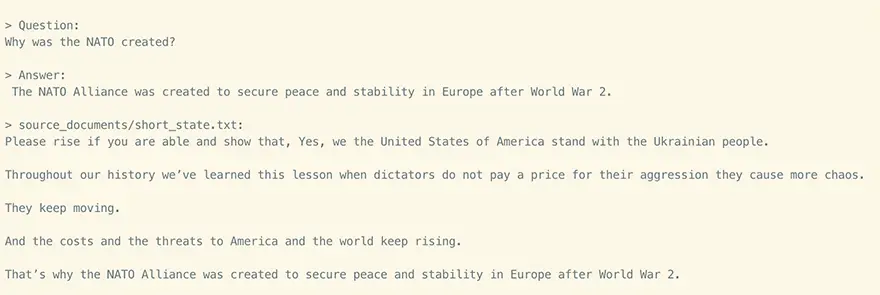
PrivateGPT is a new AI language model that is designed to be both powerful and secure. It is based on the OpenAI GPT-3 language model, but it has been modified to make it more private. PrivateGPT does not store any of your data on its servers, and it does not track your usage. This makes it a great choice for businesses and individuals who are concerned about privacy.
The source code of PrivateGPT is available on GitHub.
PrivateGPT is also very powerful. It can generate text, translate languages, and answer your questions in an informative way. It can also be used to create interactive AI dialogues. This makes it a valuable tool for a variety of applications, including customer service, education, and research.
There are many benefits to using PrivateGPT. Some of the most important benefits include:
In order to set your environment up to run the code here, first install all requirements:
pip install -r requirements.txt
Then, download the 2 models and place them in a directory of your choice.
.env file..env file.Rename example.env to .env and edit the variables appropriately.
MODEL_TYPE: supports LlamaCpp or GPT4All
PERSIST_DIRECTORY: is the folder you want your vectorstore in
LLAMA_EMBEDDINGS_MODEL: (absolute) Path to your LlamaCpp supported embeddings model
MODEL_PATH: Path to your GPT4All or LlamaCpp supported LLM
MODEL_N_CTX: Maximum token limit for both embeddings and LLM models
Note: because of the way langchain loads the LLAMA embeddings, you need to specify the absolute path of your embeddings model binary. This means it will not work if you use a home directory shortcut (eg. ~/ or $HOME/).
Once you have installed PrivateGPT, you can start using it right away.
To generate text, simply follow these instructions. PrivateGPT will then generate text based on your prompt. You can also translate languages, answer questions, and create interactive AI dialogues.
Step 1:- Place all of your .txt, .pdf, or .csv files in the source_documents directory.
Step 2:- Run the following command to ingest all of the data:
python ingest.py
Step 3:- To ask a question, run the following command:
python privateGPT.py
Step 4:- Enter your query and wait for the answer.
Step 5:- To exit the script, type “exit”.
LangChain is a tool that allows you to run an entire machine-learning pipeline locally, without any data leaving your environment.ingest.py script uses LangChain tools to parse documents and create embeddings locally using LlamaCppEmbeddings. It then stores the results in a local vector database using Chroma vector store.privateGPT.py script uses a local LLM based on GPT4All-J or LlamaCpp to understand questions and create answers. The context for the answers is extracted from the local vector store using a similarity search to locate the right piece of context from the docs.GPT4All-J wrapper was introduced in LangChain 0.0.162.PrivateGPT is a powerful and secure AI language model. It is a great choice for businesses and individuals who are concerned about privacy. PrivateGPT is also very versatile and can be used for a variety of applications.
Here are some additional details about PrivateGPT:
If you are looking for a powerful and secure AI language model, then PrivateGPT is a great option.
If you have been searching for the right note-taking or knowledge management app, you have…
Looking for AnyType alternatives? You're not alone. AnyType has gained popularity as a privacy-focused, local-first…
Notion is a popular all-in-one workspace, but many users seek alternatives for different needs (free…
Logseq is a beloved tool in the personal knowledge management (PKM) community. It's free, open-source,…
Looking for a Webshare alternative? You're not alone. Webshare is a popular proxy service with…
Docker changed software development forever. It made containers accessible, gave developers a simple workflow, and…
