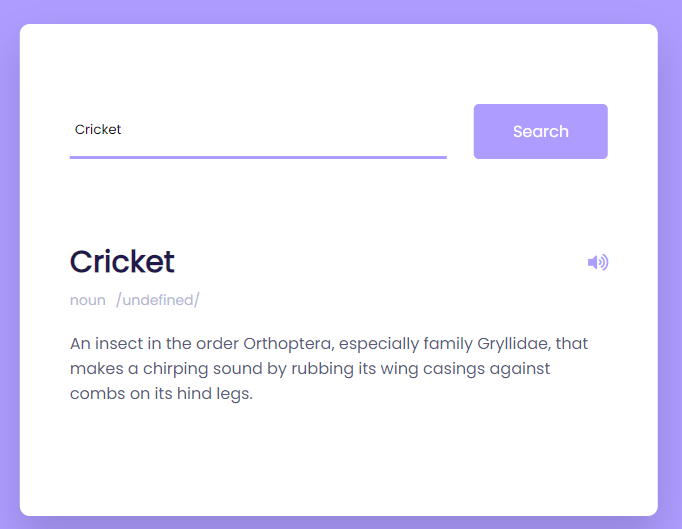
<!DOCTYPE html>
<html lang="en">
<head>
  <meta charset="UTF-8">
  <meta http-equiv="X-UA-Compatible" content="IE=edge">
  <meta name="viewport" content="width=device-width, initial-scale=1.0">
  <title>Document</title>
  <style>
    * {
 padding: 0;
 margin: 0;
 -webkit-box-sizing: border-box;
 box-sizing: border-box;
}
*:not(i) {
 font-family: "Poppins", sans-serif;
}
body {
 background-color: #ae9cff;
}
.wrapper {
 width: 92vmin;
 position: absolute;
 -webkit-transform: translateX(-50%);
 -ms-transform: translateX(-50%);
 transform: translateX(-50%);
 top: 50px;
 left: 50%;
}
.container {
 width: 100%;
 background-color: #ffffff;
 padding: 80px 50px;
 border-radius: 10px;
 -webkit-box-shadow: 0 20px 40px rgba(38, 33, 61, 0.2);
 box-shadow: 0 20px 40px rgba(38, 33, 61, 0.2);
}
a {
 padding: 15px 0;
 text-align: center;
 text-decoration: none;
 display: block;
 width: 100%;
 background-color: #ffffff;
 border-radius: 5px;
 color: #1f194c;
 font-weight: 600;
 -webkit-box-shadow: 0 20px 40px rgba(38, 33, 61, 0.2);
 box-shadow: 0 20px 40px rgba(38, 33, 61, 0.2);
 margin-top: 30px;
}
.search-box {
 width: 100%;
 display: -webkit-box;
 display: -ms-flexbox;
 display: flex;
 -webkit-box-pack: justify;
 -ms-flex-pack: justify;
 justify-content: space-between;
}
.search-box input {
 padding: 5px;
 width: 70%;
 border: none;
 outline: none;
 border-bottom: 3px solid #ae9cff;
}
.search-box button {
 padding: 15px 0;
 width: 25%;
 background-color: #ae9cff;
 border: none;
 outline: none;
 color: #ffffff;
 border-radius: 5px;
 font-size: 16px;
}
.result {
 position: relative;
}
.result h3 {
 font-size: 30px;
 color: #1f194c;
}
.result .word {
 display: -webkit-box;
 display: -ms-flexbox;
 display: flex;
 -webkit-box-pack: justify;
 -ms-flex-pack: justify;
 justify-content: space-between;
 margin-top: 80px;
}
.result button {
 background-color: transparent;
 color: #ae9cff;
 border: none;
 outline: none;
 font-size: 18px;
}
.result .details {
 display: -webkit-box;
 display: -ms-flexbox;
 display: flex;
 gap: 10px;
 color: #b3b6d4;
 margin: 5px 0 20px 0;
 font-size: 14px;
}
.word-meaning {
 color: #575a7b;
}
.word-example {
 color: #575a7b;
 font-style: italic;
 border-left: 5px solid #ae9cff;
 padding-left: 20px;
 margin-top: 30px;
 font-size: 16px;
}
.error {
 margin-top: 80px;
 text-align: center;
}
@media screen and (max-width: 768px) {
 .container {
  padding: 40px 20px;
 }
 .search-box button {
  font-size: 14px;
 }
}

  </style>
</head>
<body>
  <div class="wrapper">
    <audio id="sound"></audio>
    <div class="container">
      <div class="search-box">
        <input type="text" placeholder="Type the word here..." id="inp-word" />
        <button id="search-btn">Search</button>
      </div>
      <div id="result" class="result"></div>
    </div>
  </div>
</body>
<script>
  const url = "https://api.dictionaryapi.dev/api/v2/entries/en/";
const result = document.getElementById("result");
const sound = document.getElementById("sound");

const btn = document.getElementById("search-btn");
btn.addEventListener("click", () => {
 let inpWord = document.getElementById("inp-word").value;
 fetch(`${url}${inpWord}`)
  .then((response) => {
   return response.json();
  })
  .then((data) => {
   result.innerHTML = `
  <div class="word">
    <h3>${inpWord}</h3>
<button >If you have been searching for the right note-taking or knowledge management app, you have…
Looking for AnyType alternatives? You're not alone. AnyType has gained popularity as a privacy-focused, local-first…
Notion is a popular all-in-one workspace, but many users seek alternatives for different needs (free…
Logseq is a beloved tool in the personal knowledge management (PKM) community. It's free, open-source,…
Looking for a Webshare alternative? You're not alone. Webshare is a popular proxy service with…
Docker changed software development forever. It made containers accessible, gave developers a simple workflow, and…
